
 PXLnexus
PLAN
The script becomes a breakdown, a bid and a schedule, and the models it calls for land in the library.
Closely connected, modular tools for the hybrid VFX and AI workflow. Each one speeds the work up and stops the mistake before the next department finds it, and leaves the artist free to work their way.
Each stage hands structured data to the next, not a spreadsheet or an email. The magenta marker shows where PXLnexus acts; the tools do the work and keep the record.
filled = reads the standard todayhollow = connects nextdashed edge = comingmagenta = PXLnexus acts here

 PXLbidscript breakdown and bid
 PXLlibrarypick from the library
 PXLtoolsMaya, Nuke, Substance
 PXLrvevery version reviewed
 PXLflowthe hub, with a producer's assistant
 PXLconnectevery app connects



 DIRECT
The script becomes a breakdown, a bid and a schedule, and the models it calls for land in the library.
Every application connects through PXLconnect. Pick from the library, set up the same way every time, check, and carry the work between apps.
 ComfyUI workflows (AI acts here)AI image work, driven by PXLnexus. Next: versioned in PXLconnect.coming
Every asset tracked on one record; notes and status land back on it.
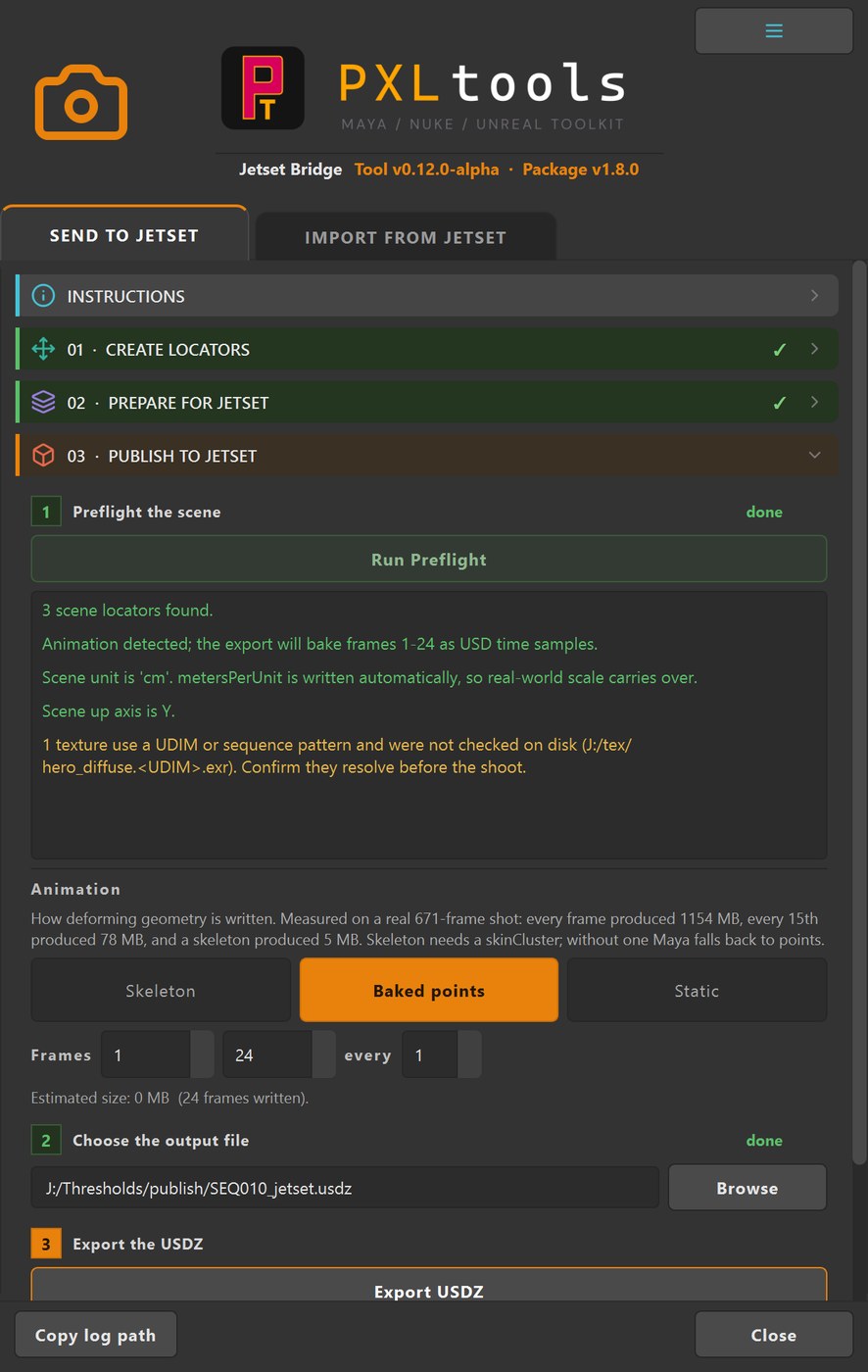
The director shoots his own cameras, and they come back in Maya.
 Maya to Unreal bridgeCameras and assets on to Unreal.coming
PXLsuite started as a few fixes for Thresholds, the CG series I co-created and am currently supervising. A bid that took weeks in Excel. A naming convention nobody could remember. Notes scattered between email and dailies. Each fix solved one problem, and each one needed the one before it.
That’s how it grew into a pipeline rather than a toolbox. It supports a complex hybrid VFX and AI production, and the deeper that pipeline goes, the more tools I build under it to speed it up and automate it. Every piece is hardened on a real show, in production now.
The partner tools sit at the stages where they take out a whole step. XGRIDS captures the locations and Volinga brings the splats into Unreal, relit. 3D.sk scans and Faceform Wrap give us the digital humans. The Reallusion suite builds, rigs and animates the characters. Dash builds the worlds in Unreal. Lightcraft’s Jetset puts the director’s camera on his phone, and Jetset Sync and Bridge bring each take back into Maya.
Each one is tested on Thresholds, in production, not in a demo. The work they produce lands in the same folders, under the same names, and is tracked in PXLflow with everything else.


 orchestrates the whole pipeline over MCPorchestrates the whole pipeline over MCP












 PXLbidPXLlibraryPXLtoolsPXLconnectPXLrvPXLflow
Third-party logos identify the software used on the production. No affiliation is implied unless named as a partner. Partner = Thresholds partner.




Third-party logos identify the software used on the production. No affiliation is implied unless named as a partner.

AI multiplies what you know. It cannot supply it.

VFX & CG Supervisor
Over twenty years in VFX and CG, with DNEG, MPC, Mill Film, Framestore and Pixomondo, among others. Former 3D Generalist, now also a pipeline consultant. I co-created Thresholds and am currently supervising it; PXLsuite is the pipeline I built to run it, and every tool is hardened on that show before it reaches anyone else.









 ...among others.Partners of Thresholds, the CG series I co-created and am currently supervising.
Half an hour on a call, on your pipeline. I walk you through the tools on a real shot, from the script to the review, and we look at where they would fit in the way your team already works.
Book a callEvery tool follows one production standard; the core tools read it.
The standard is built from the show's Bible: the hierarchy, the folder structure, the naming convention, the departments and the rules. Nothing gets retyped, and nobody has to memorise the rules.
The rest follow the same rules and connect to it next. It is configuration, not hard-coded: a studio can bring its own standard, and the tools follow that instead.
From script to breakdown, bid and schedule; AI proposes, you confirm.
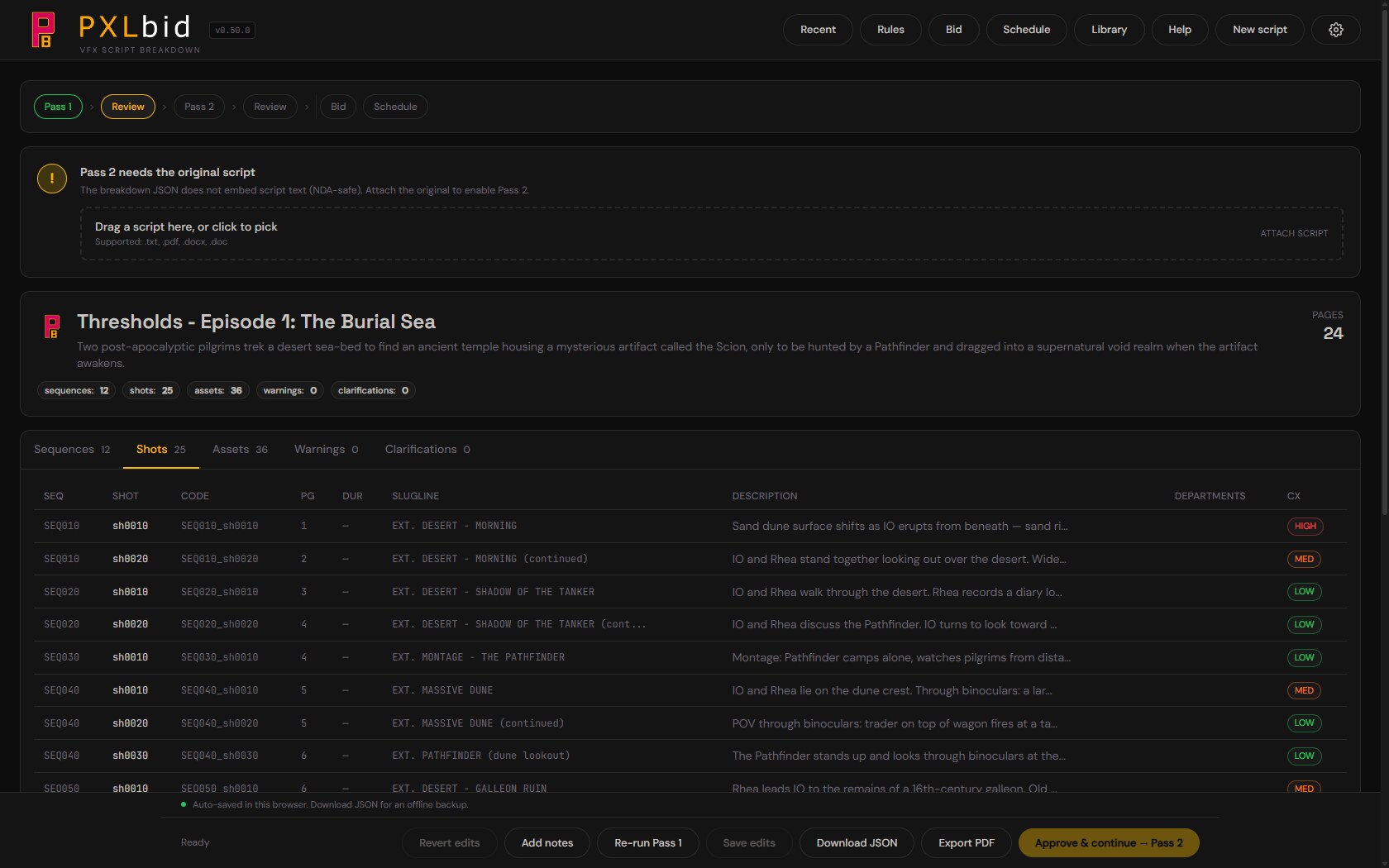
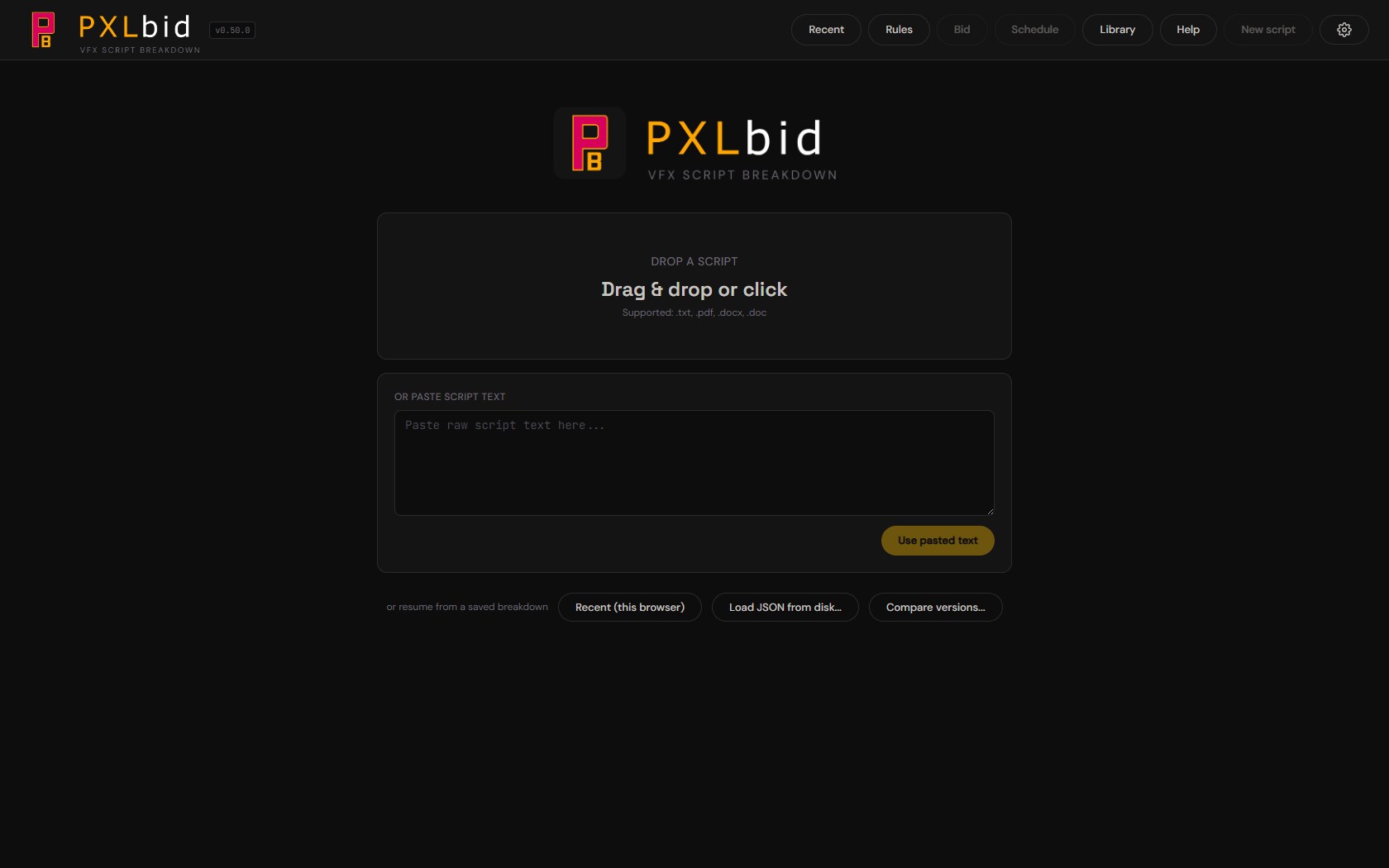
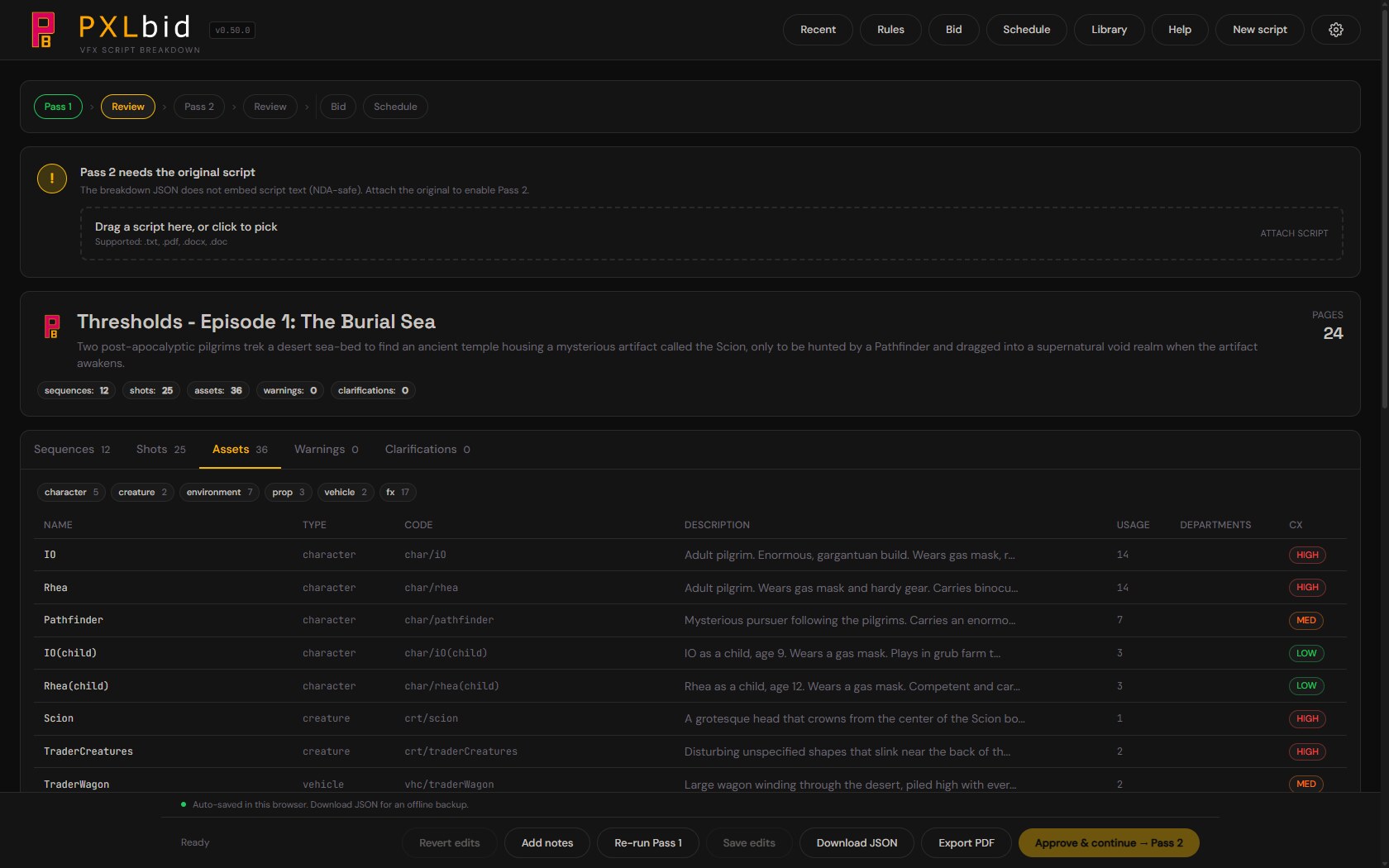
Drop a script in, PDF, DOCX or TXT. An AI pass drafts a structured breakdown of sequences, shots and assets for the supervisor, each one graded. You review and correct every line. Then it prices the work and lays out a broad schedule, so you know what the show costs and roughly how long it runs before you call the client back.
How it works
The first pass returns a draft breakdown: sequences, shots, and every asset the script needs, each carrying a complexity grade. Enough to know whether you are looking at a 50-shot commercial or a 400-shot feature.
Nothing is taken on trust. Every row opens in a detail drawer, so you rename it, re-grade it, move it to another sequence, or drop it. Your corrections are kept as rules the agent applies on the next run.
Run a second pass when the first breakdown is too coarse. It subdivides wide shots into workable ones and tags the departments each asset passes through, model, texture, lookdev, rig, CFX and the rest. Pick the scope, the whole script, one sequence, one shot, one asset, or every asset of a type, and the intensity: light, medium or deep.
Skip it when one shot per scene is already enough to bid against. You can always reload the breakdown and run it later.
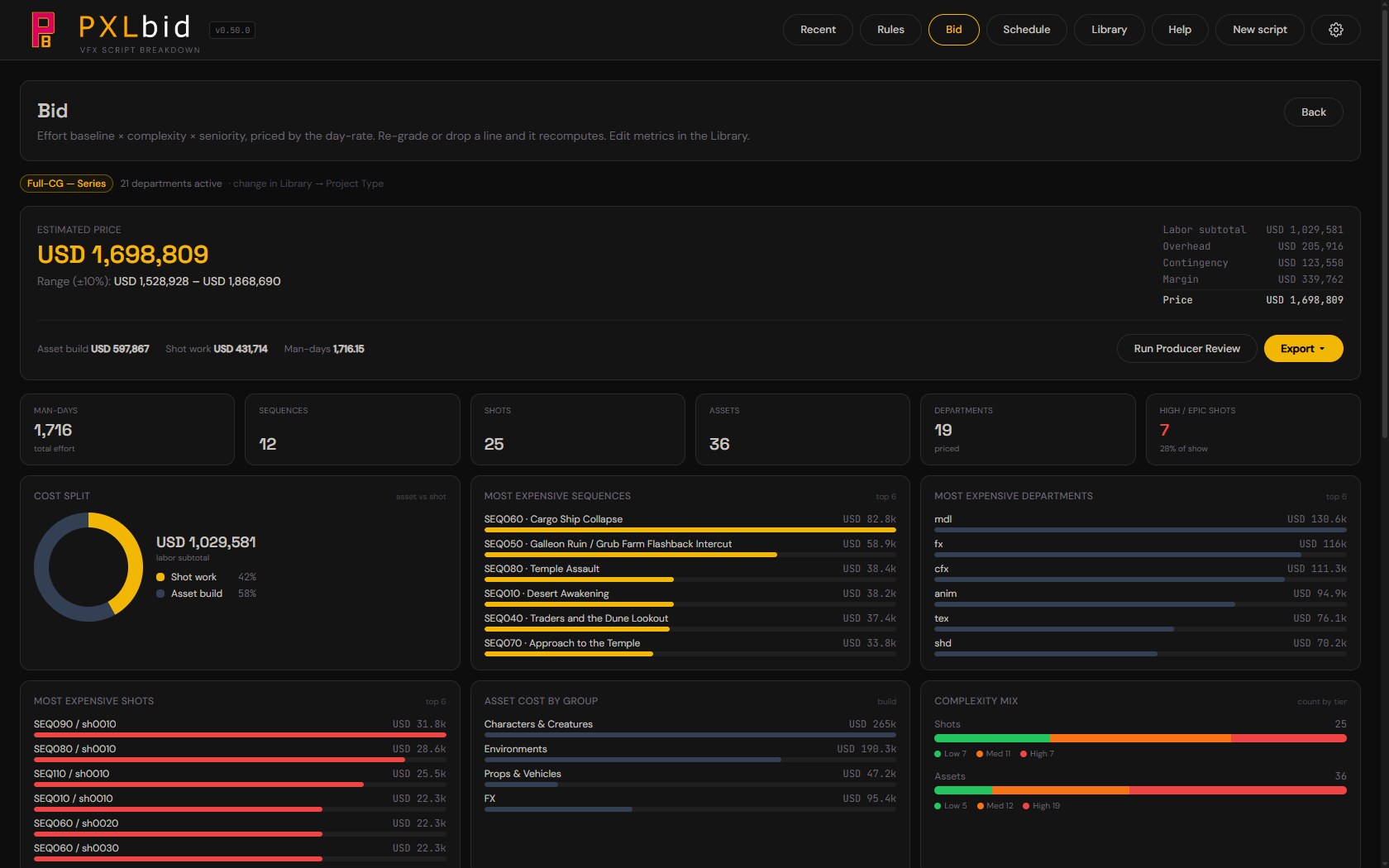
A line-item bid you edit as you read it. Every shot and asset is priced by discipline through an effort baseline, a complexity tier, and a seniority multiplier, all of them yours to tune in Rates & effort. Re-grade a line or drop it and the whole quote recomputes live, through overhead, contingency and margin, down to cost, man-days and a best-to-worst range.
A warnings tab collects everything the agent was unsure about, and every number that may not mean what it looks like. Read that before you export: a summary quote or a detailed bid for the client, an internal cost report you keep, the whole waterfall as an Excel workbook, or the breakdown JSON that PXLflow reads.
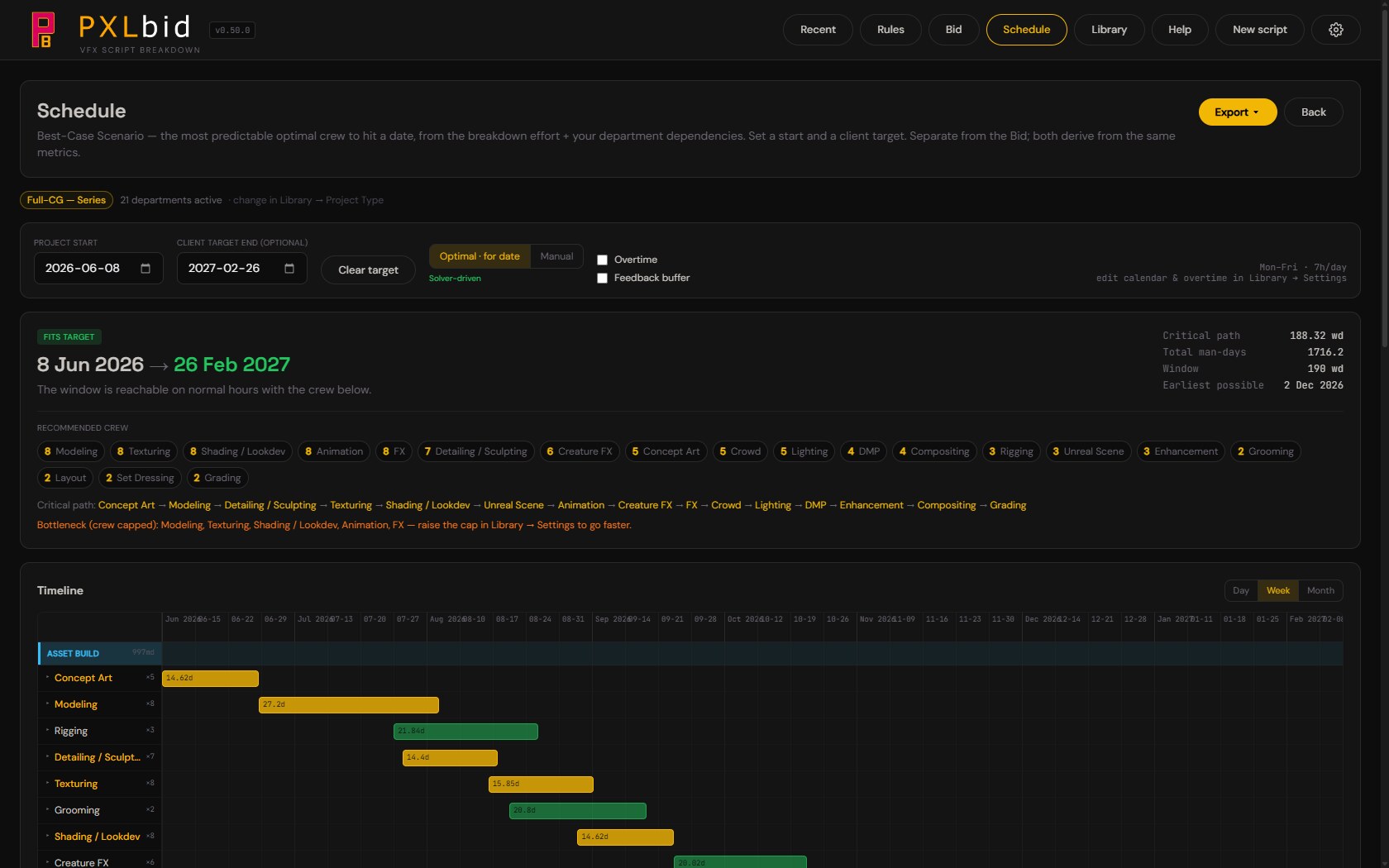
From the same breakdown, a Gantt lays out calendar days by discipline. Dependencies drive the order, and the team size you set per department compresses the lanes, so two artists on one lane halve it. Re-grade a shot in the breakdown and the schedule moves with it.
That is deliberately where PXLbid stops. Putting the work on named artists, with their own rates, calendars and capabilities, is PXLflow's job. This is the pre-production estimate, not the plan.
Your numbers, not ours
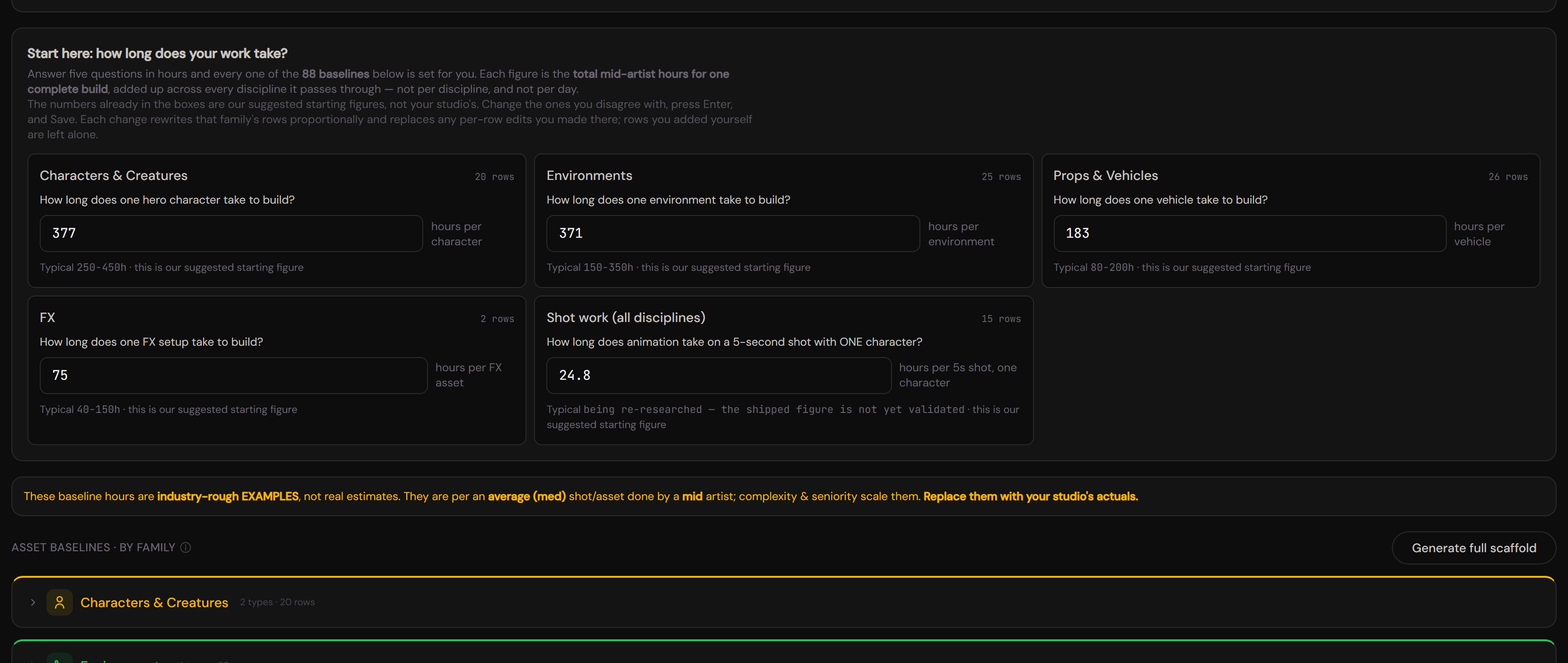
The shipped baselines are placeholders, structurally right and financially fictional, and the app says so on the bid until you change them. Quick Tune asks five plain questions in hours, how long one hero character takes, one environment, one vehicle, one FX setup, animation on a five-second single-character shot, and sets all sixty-eight baselines in proportion. Underneath sits the per-row editor when you want to move one discipline on its own.
One blended day rate, five complexity tiers, three seniority levels, and your own overhead, contingency and margin. Every field explains itself on hover, with a worked example using the values you actually typed.
PXLbid runs on your own Anthropic API key, not mine. You pay Anthropic directly, at cost, and I hold no credits, no quota and no cap over you. Your script is opened and read in your browser, and it is never saved anywhere, which is why a second pass asks for the file again.
PXLbid + PXLflow
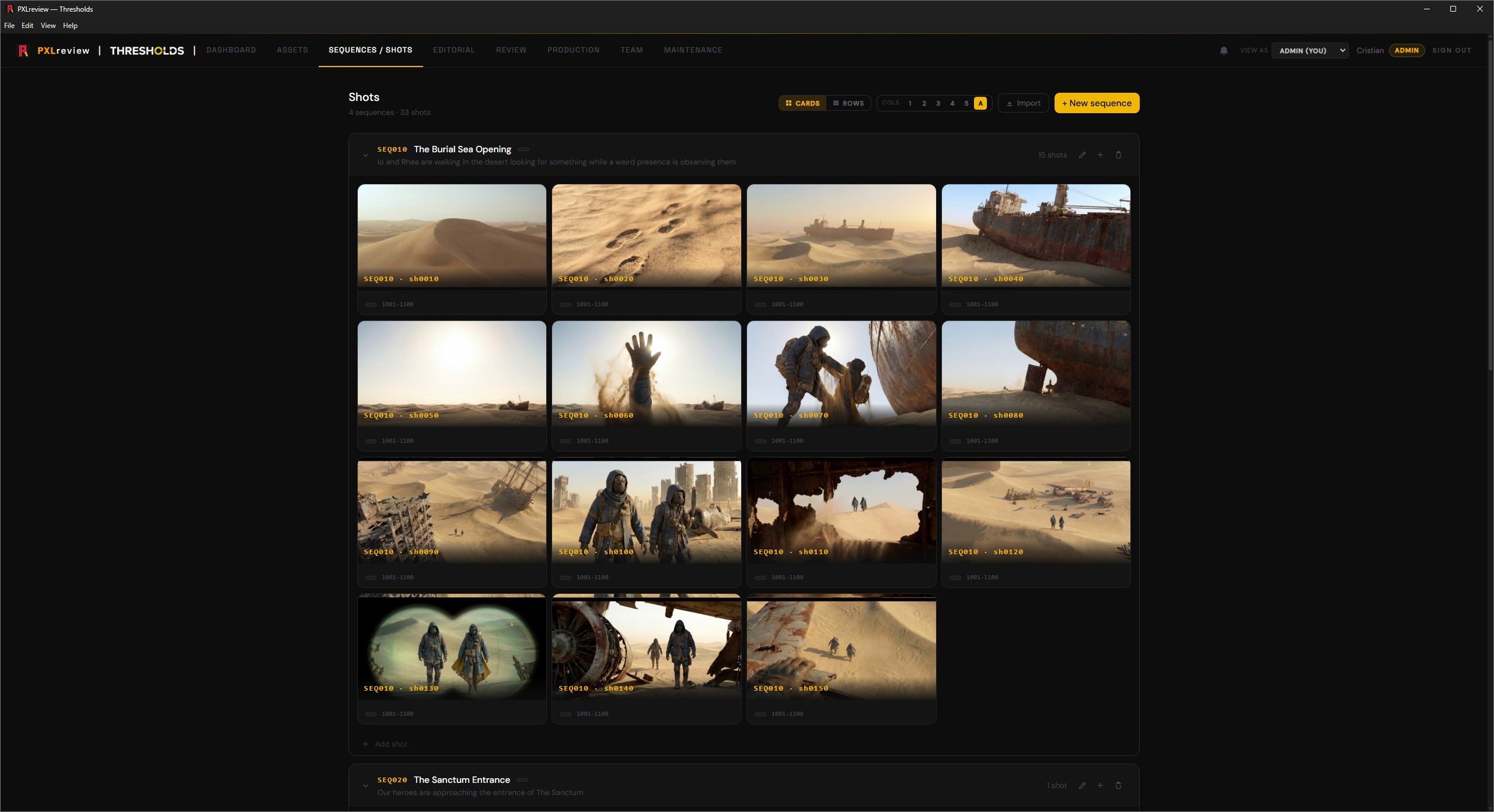
Where PXLbid stops, PXLflow picks up. Export the breakdown and PXLflow fills the production from it in a single import: every sequence, shot and asset, plus a task for each department Pass 2 tagged. Export the schedule and the start and due dates land on the matching shots. Nobody re-types anything.
PXLbid is built for PXLflow, and ftrack and ShotGrid export is on the roadmap.
PXLbid is taking on beta testers now. Access is granted per person, so if you want in, send an email and tell me a little about yourself: who you are, what you do, and the company you work for. That context is what makes the feedback useful, and it is what the numbers get tested against.
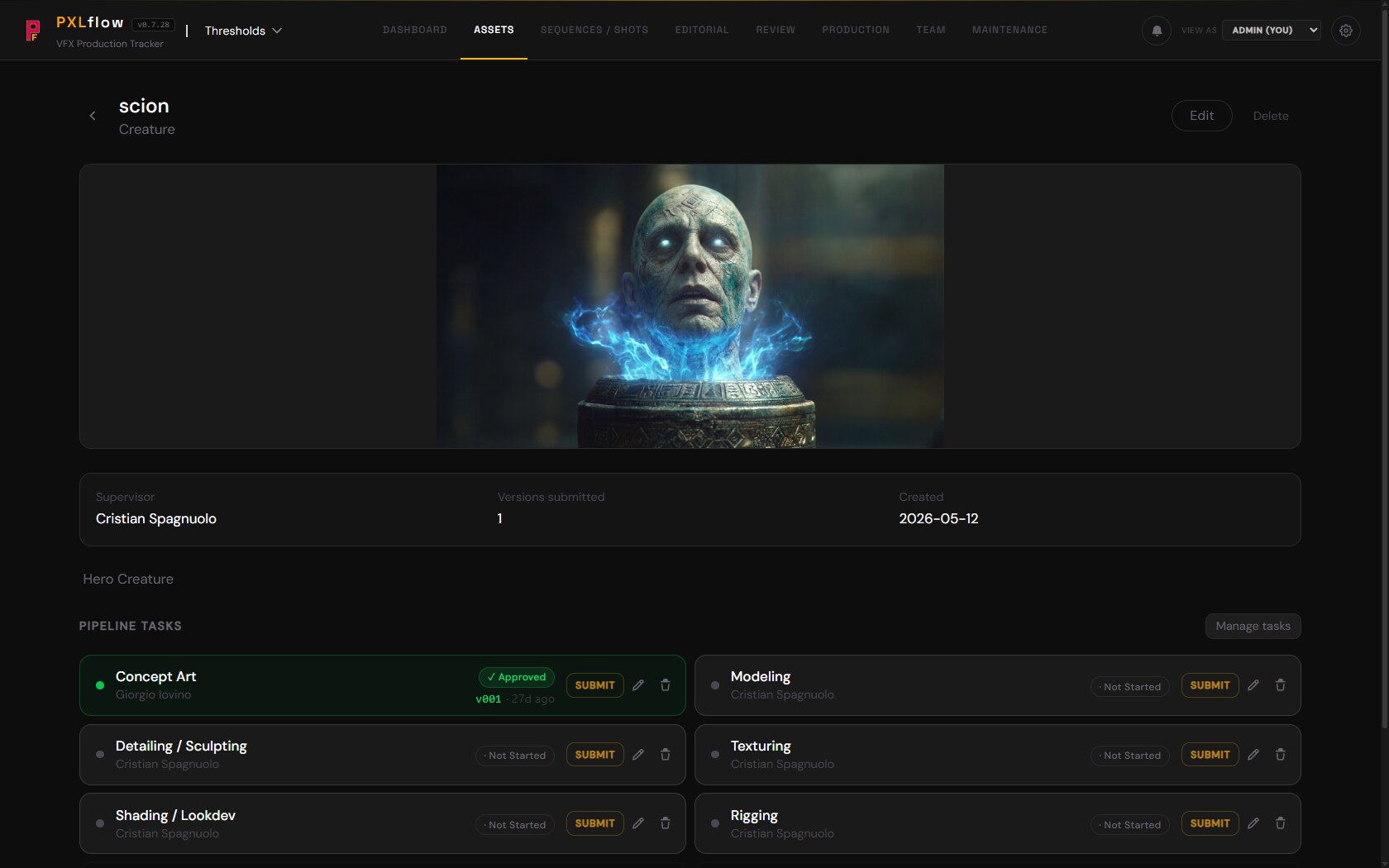
Production tracking that opens already laid out from the plan and receives every publish from PXLconnect, with a producer's assistant for the scheduling and staffing questions.
Took inspiration from ShotGrid and ftrack for the review side. From Notion and Monday for the planning side. Threw out everything that felt like it was built by someone who'd never sat in a dailies room. What's left is the tracker I always wanted.
I use it daily as the supervisor. My producer uses it daily as the producer. Every feature in there got fought for in a real review, hardened by a real schedule, killed if it didn't earn its place. No one's writing tickets from a roadmap they imagined.
Tasks know what they depend on. Move a deadline, the schedule reflows. And the plan does not start from a blank page: PXLbid's bid and schedule ingest natively, so the production opens already laid out, ready to assign.
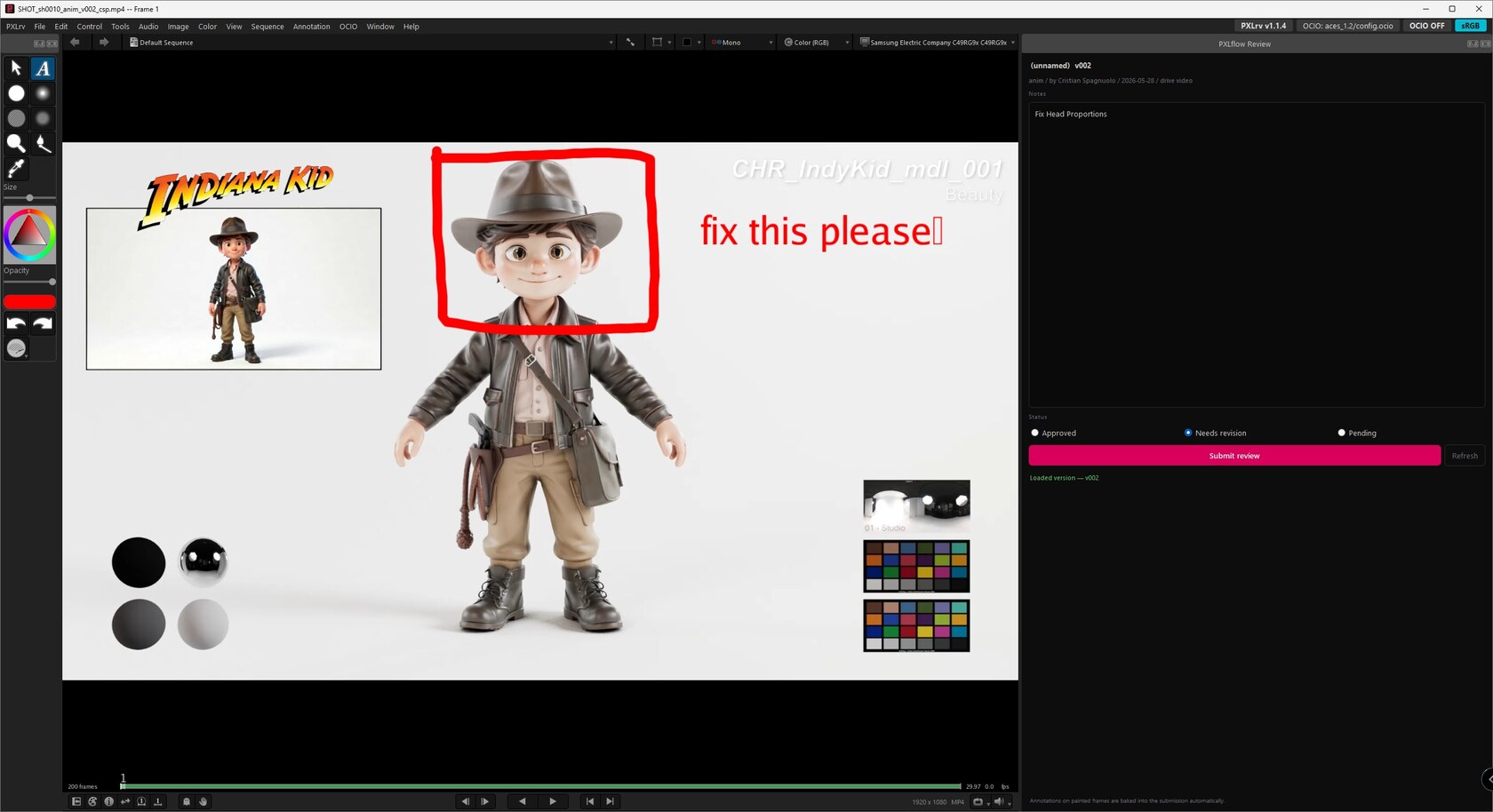
Per-asset notes, versioned submissions, annotated frames, daily review sessions. Open any version straight into PXLrv, the built-in review player, and the notes round-trip back to the same sheet. The dailies room conversation becomes a permanent record without anyone having to write the minutes.
Electron desktop app. Google Sheets and Drive backend. Client-side OAuth. No server to maintain, no SaaS lock-in, no monthly bill that scales with seats. Mac and Windows installers, auto-update via Cloudflare R2.
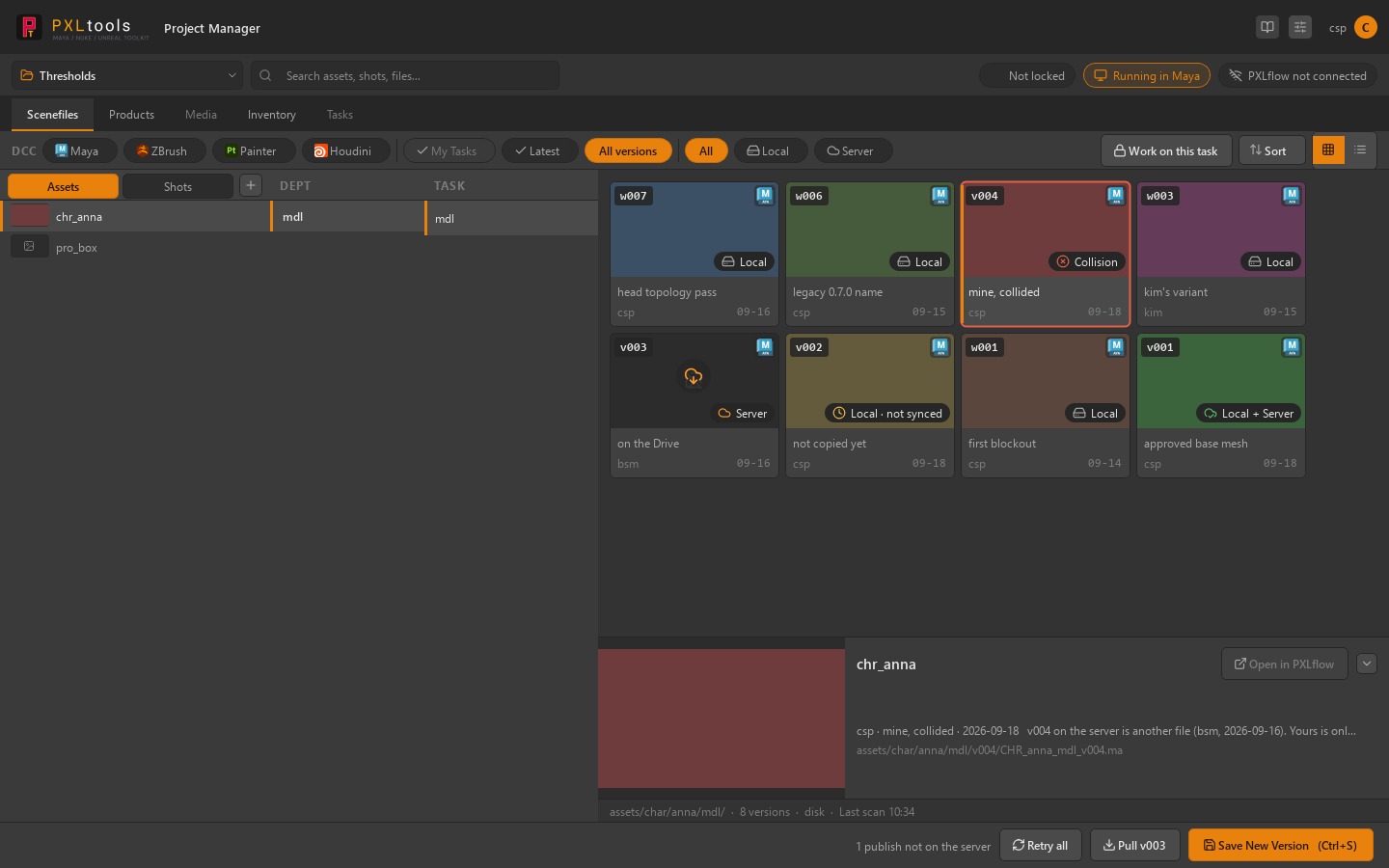
The assets you pick from, including the models found for the bid, connected to Maya.
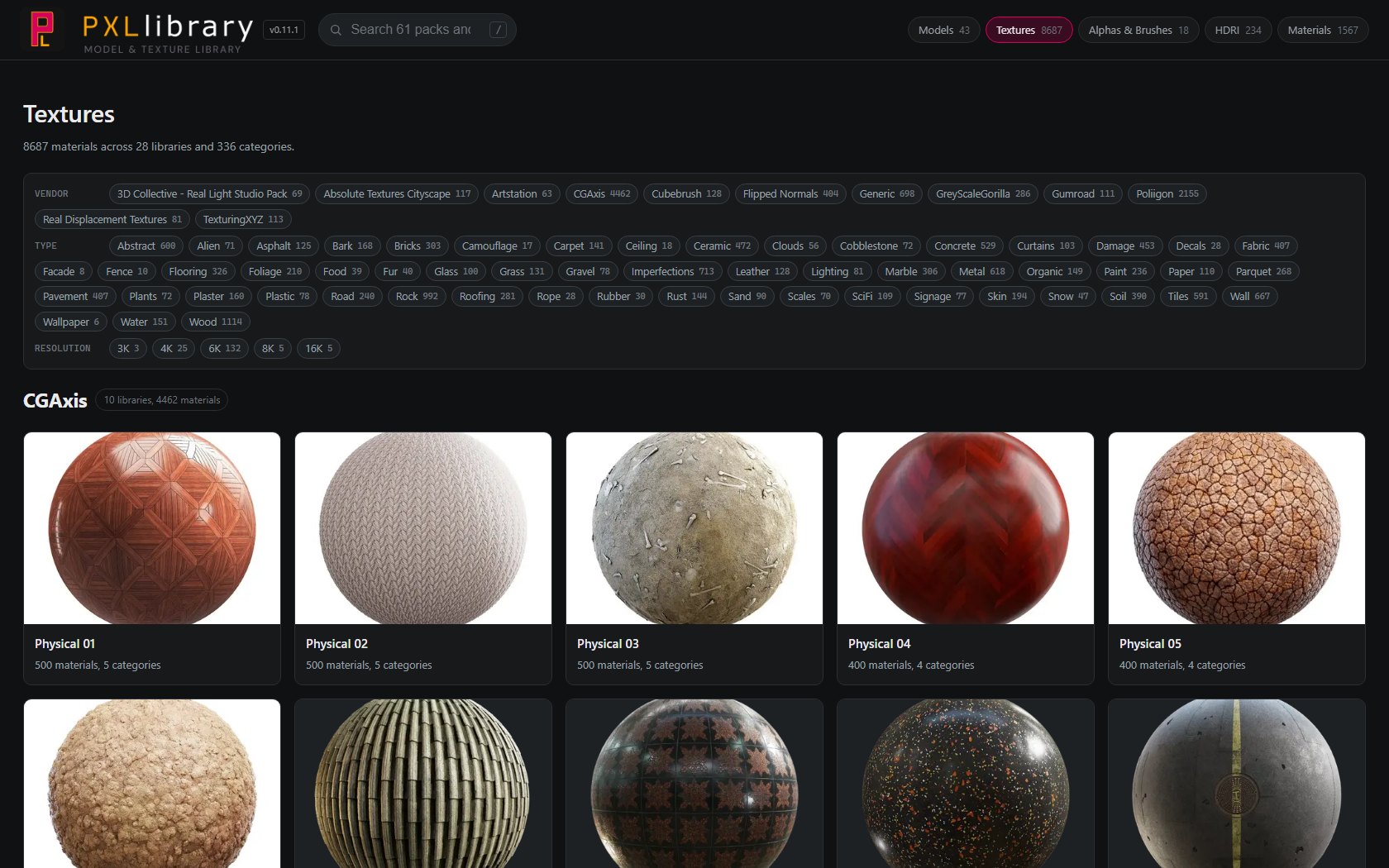
The same idea as the rest of PXLsuite, applied to assets: one source, nothing re-typed, nothing hunted for. Over the years I bought and downloaded a lot of models, textures and HDRIs, spread across drives and download folders. PXLlibrary puts all of it under one source, browsable in one page, and connected to Maya. It is one more piece of an ecosystem that keeps growing around the same principle.
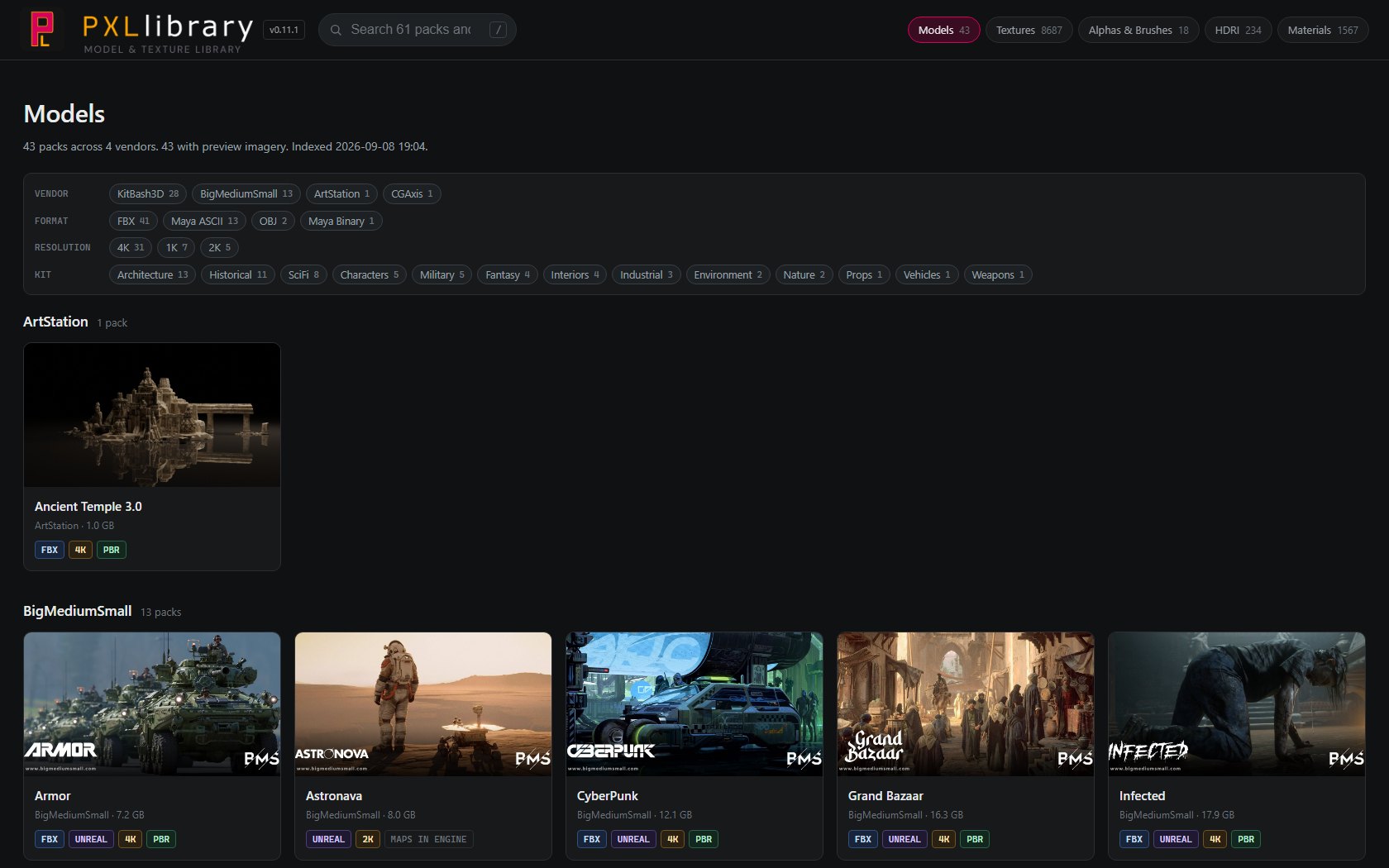
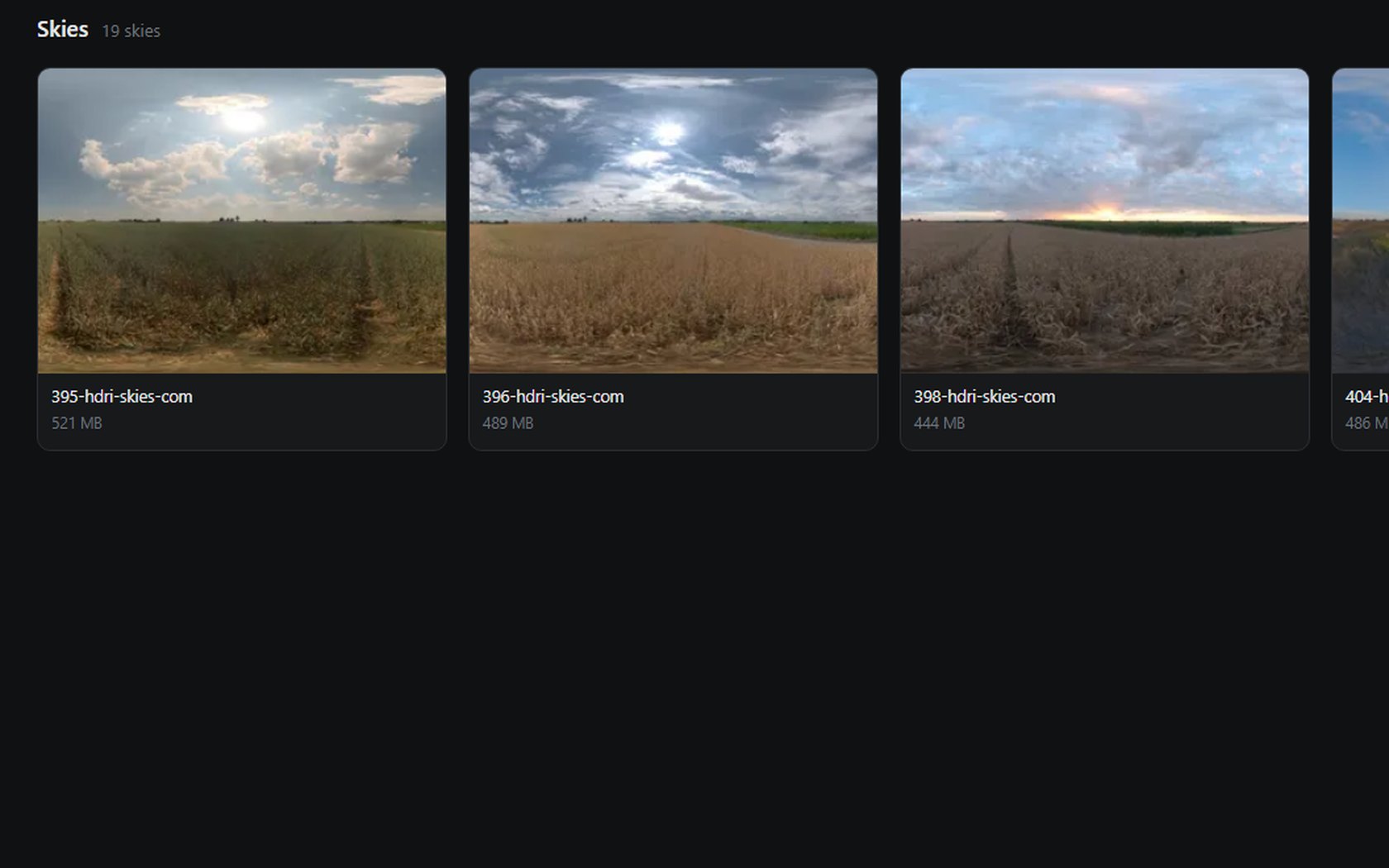
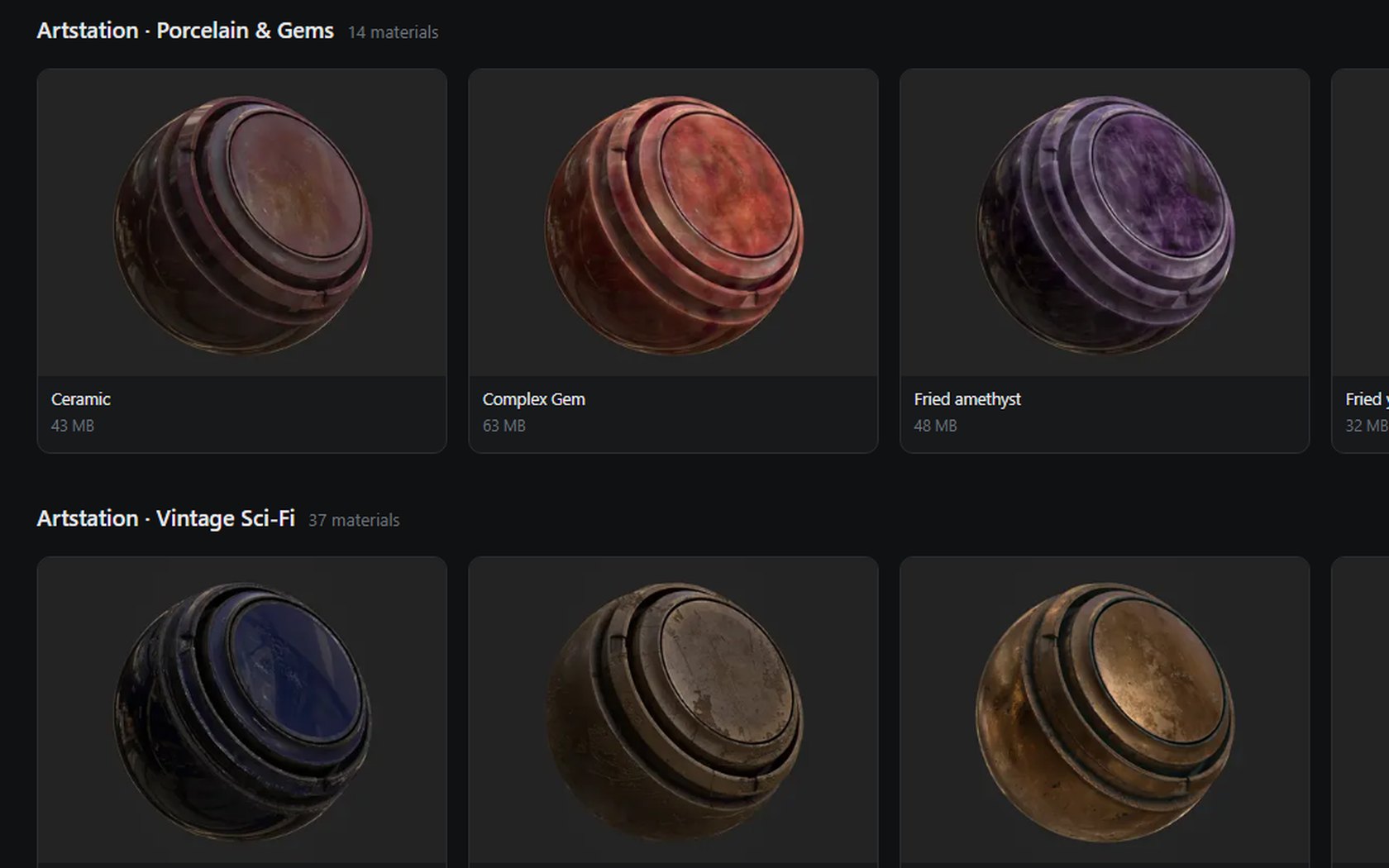
Models, textures, Substance materials, HDRIs, alphas and brushes, from more than a dozen vendors and years of purchases, now live in one place on my NAS. Nothing is scattered across drives any more, and nothing depends on remembering which download folder a pack ended up in.
One search box across every collection, and filters by vendor, format, resolution and kit. Models and textures share one tag vocabulary, so a filter means the same thing on a model pack as it does on a texture library.
Copy a pack's folder path and point Maya or Nuke straight at it. The files never leave the NAS, so finding an asset and using it is one step instead of five. I open it off the NAS for speed, or online behind the PXLflow sign-in when I am away from the studio, where files download instead.
The next step is AI tagging on import, so a search for "red box" finds every red box, even when nobody named it that way.
A full suite of tools for Maya, Nuke and Substance Painter, built for different needs, with mAIa bringing AI into Maya.

The tools, in the order a shot meets them


The PXLtools suite, by need
Maya, Nuke and Substance Painter, on the same production standard and the same guided interface. Available tools are in the public release; the rest are in development.
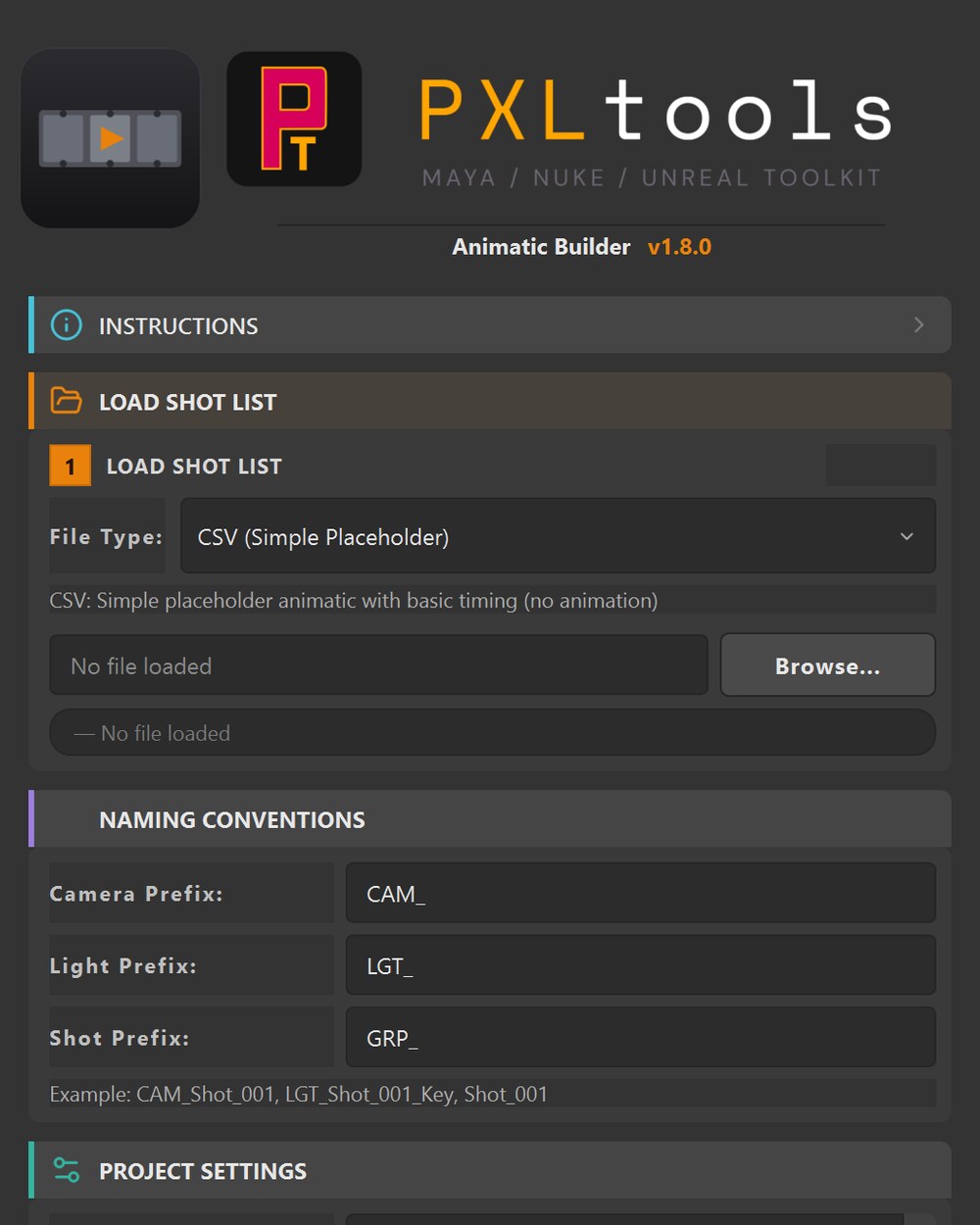
 Animatic BuilderTurn a script into a Maya Sequencer build, sequences, shots, frame ranges, ready to previs.In developmentGuideJetset Sync + BridgeMaya Bridge + Windows Sync: the Lightcraft Jetset round trip into Maya. An independent tool, not affiliated with Lightcraft.AvailableGuideCamera MatchmakerCamera matching for Maya, because Maya never shipped one.In developmentGuideScene QCCheck a scene against your own naming convention and hierarchy, then fix what it finds, behind a preview and one undo.AvailableGuide
 Project QCChecks an Unreal project against the same portable convention.In developmentPBR Material ManagerScan a vendor texture library, build hundreds of PBR materials in your naming convention, in one click.AvailableGuideUDIM workflow toolsInside PBR Material: build multi-UDIM assets in Maya and export them as multi-material single-unit assets for Unreal.AvailableGuideTexture ConverterInside PBR Material: converts texture format and resolution.In development
 Material ThumbsGive every material in your library a real preview, rendered on your own model, in your own lighting.AvailableGuideGLB ManagerGLB import and export with the right twist. Textures extracted, PBR materials built, asset centred, all on one click.AvailableGuideBatch RenamerA complete, robust batch renamer. Simple where it should be simple, deep where production demands it.AvailableGuideOBJ ExporterBulk-export a master model split into hundreds of pieces, each as its own OBJ, in one click.AvailableGuideMaya to Unreal bridgeSend Maya transforms to Unreal: writes an FBX plus a .pxlbridge.json sidecar for the engine side.In developmentGuideTurnTable BuilderA production-grade turntable in the viewport, with Macbeth chart, reference balls and balanced HDRIs, render layers pre-configured with embedded AOVs.AvailableGuide
 TurnTable Comp SetupThe Maya export drops in cleanly; switch between beauty, clay, UV and wireframe without a re-render, and export every pass in one click.AvailableGuideRender Layer CreatorGenerate dozens of render layers from selection, auto-named from your group and object hierarchy.AvailableGuideContact Sheet GeneratorPack dozens to hundreds of renders into a single compact contact sheet, organised by lighting, expression, or asset.AvailableGuideImage Option ChangerBatch-set the colour space on selected Read/Write nodes: pick the space, tick Read/Write, apply.AvailableGuidemAIaClaude integrated directly inside Maya. Drive repetitive tasks by prompt.In developmentGuide
Every tools' development comes from a real production need on the floor. Each one fixes something the DCC should have done out of the box.
Tested on Maya 2025 (PySide6), Arnold/MtoA 5.4.2.1, Nuke 15 (PySide2) and Unreal Engine 5.6, with versioned releases, a proper installer, and a shared dark UI. Each tile opens to the longer story.
The whole suite, or just one
Take everything in one click, or only the tool you came for, the download is
identical either way. One file, INSTALL.py, dragged into Maya: it installs
the toolkit and builds your shelf. Your licence decides which tools open, and you can switch
the rest on from inside the tool the day you need them.
They keep themselves current
Every tool checks for a new version when it launches and updates in one click, code and turntable assets together. No re-downloading, no zip to hunt for, no wondering whether you are on the current build.
Every tool is free
Every tool is free and stays on your licence for good. Nothing expires, and nothing asks you for a card later. Claim them once and the updates keep arriving on their own.
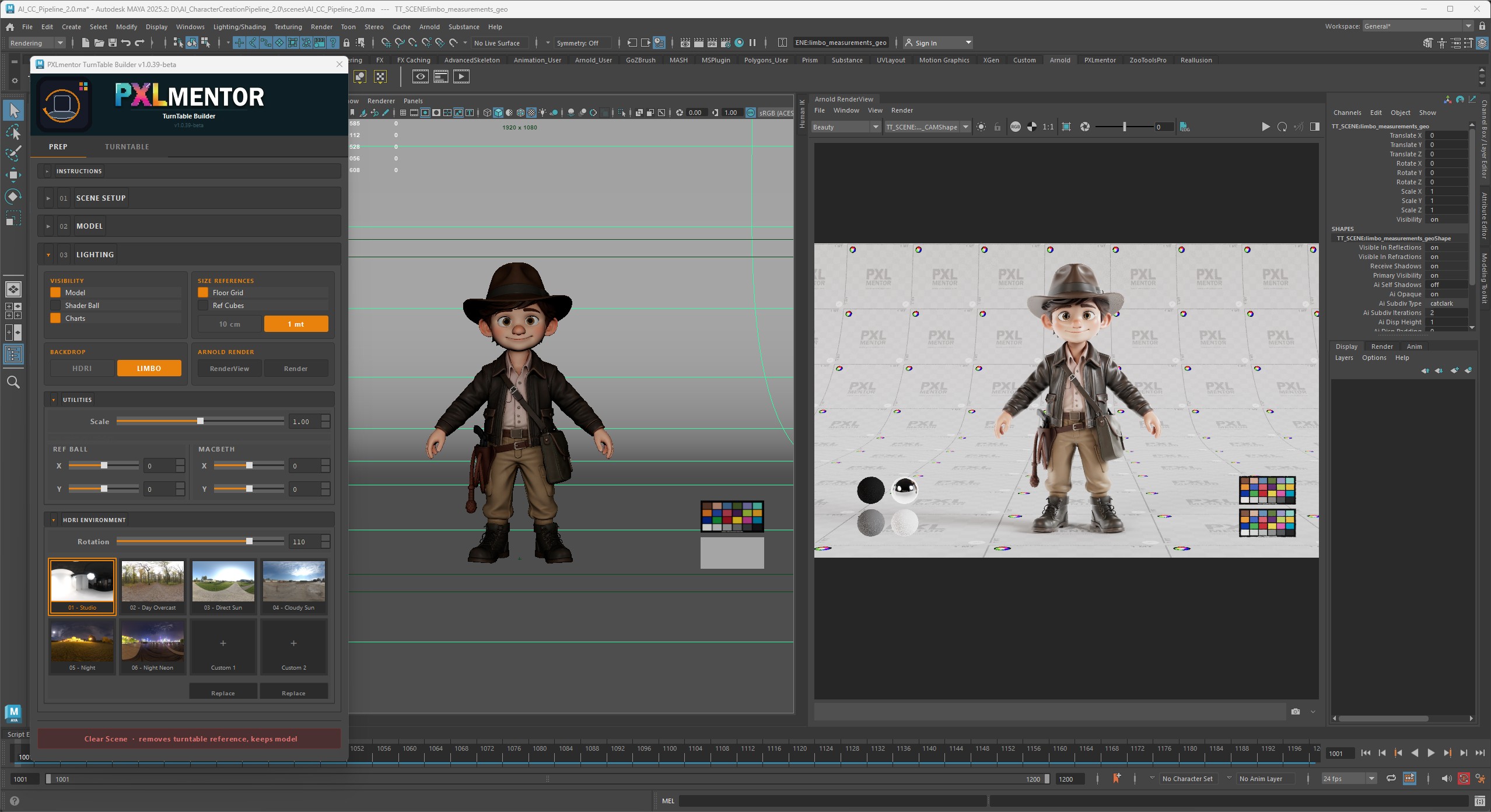
The natural evolution of the turntable scene I released on Gumroad two years ago.
Now wrapped in a full easy-to-use UI on both Maya and Nuke, end-to-end.
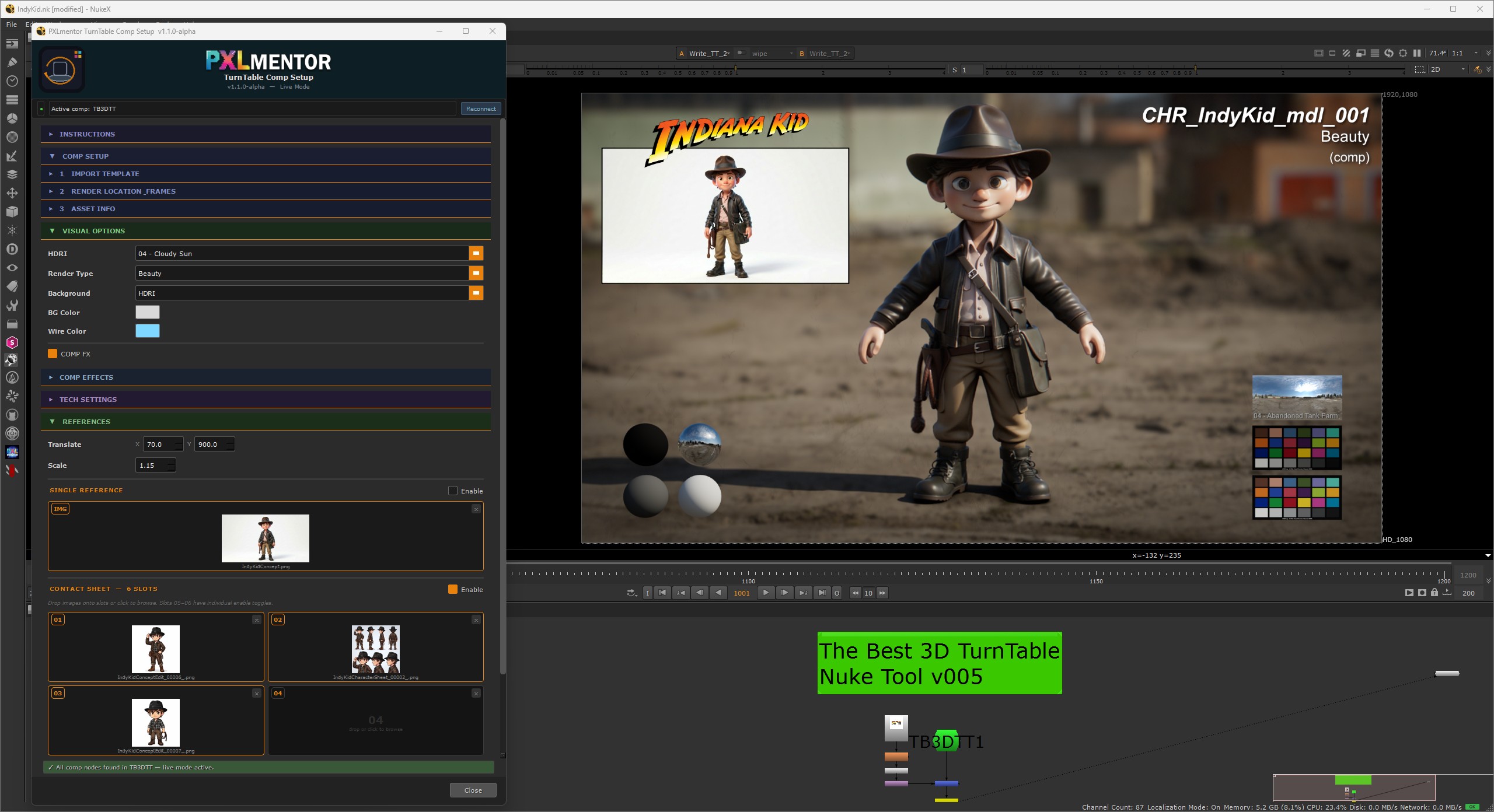
Render once in Maya, get every pass in Nuke. Beauty, clay, UV checker and wireframe all come out of the same render, and one click exports them all.
In Maya: import an asset, load the tool and run an easy-to-follow setup.
You end up with a production-grade turntable in the viewport, with Macbeth chart, reference balls, six perfectly balanced HDRIs (plus 2 free slots for your own HDRI). Render layers come pre-configured with embedded AOVs and shader.
In Nuke: the Maya export drops in cleanly.
Each Maya render layer writes one EXR carrying every AOV, so Nuke switches between beauty, clay, UV and wireframe without a re-render. Export All Passes writes every pass, for one HDRI or all of them, in one click. The same compact UI handles asset name, side reference and background colour.
Build a client-ready turntable for any assets in a few minutes, not hours/days.
One tool, across two DCCs.
One workflow, hardened on a real show, and the foundation of every other PXLtool that grew around it.
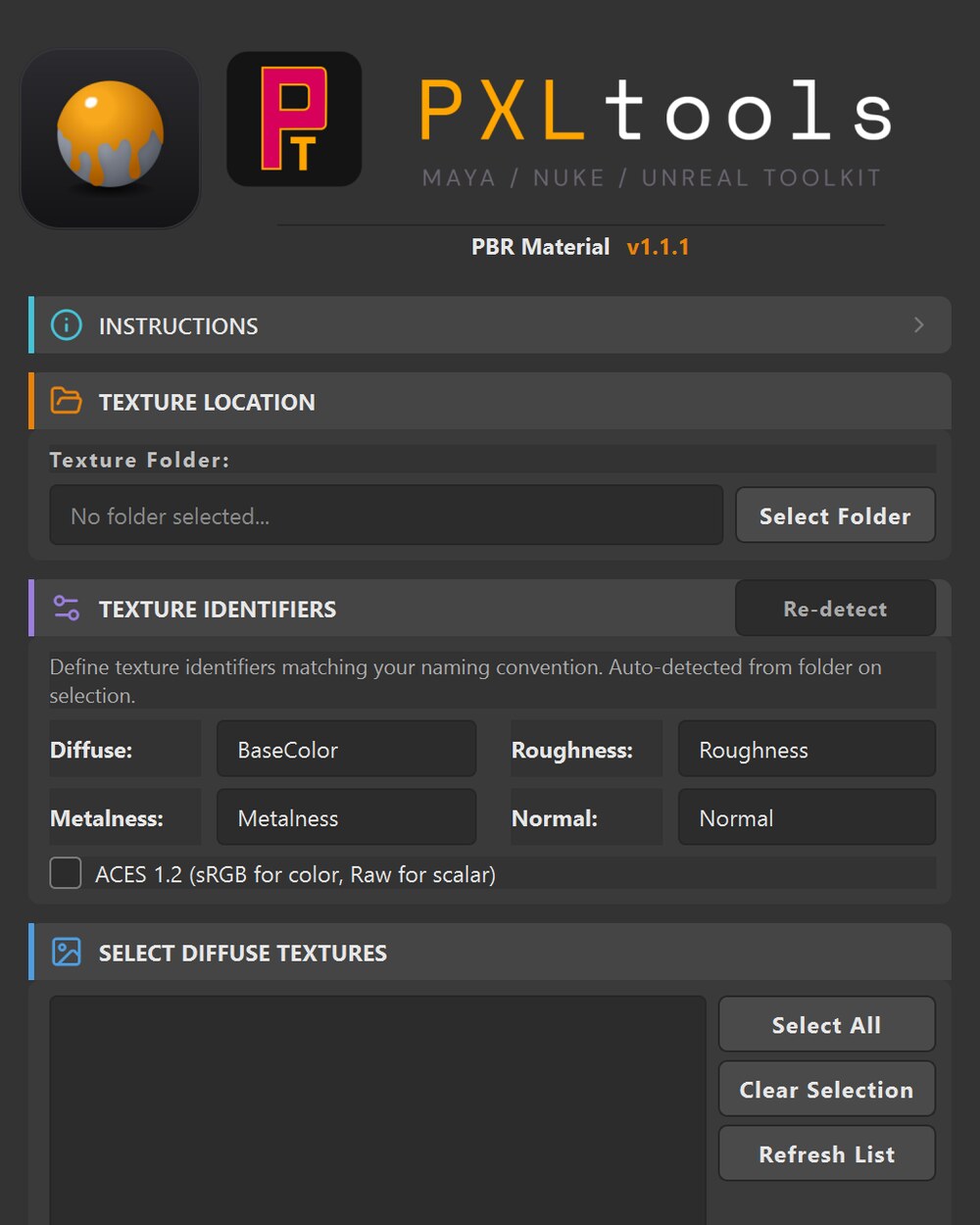
Scan a vendor texture library, build hundreds of PBR materials in your naming convention, in one click.
Get it free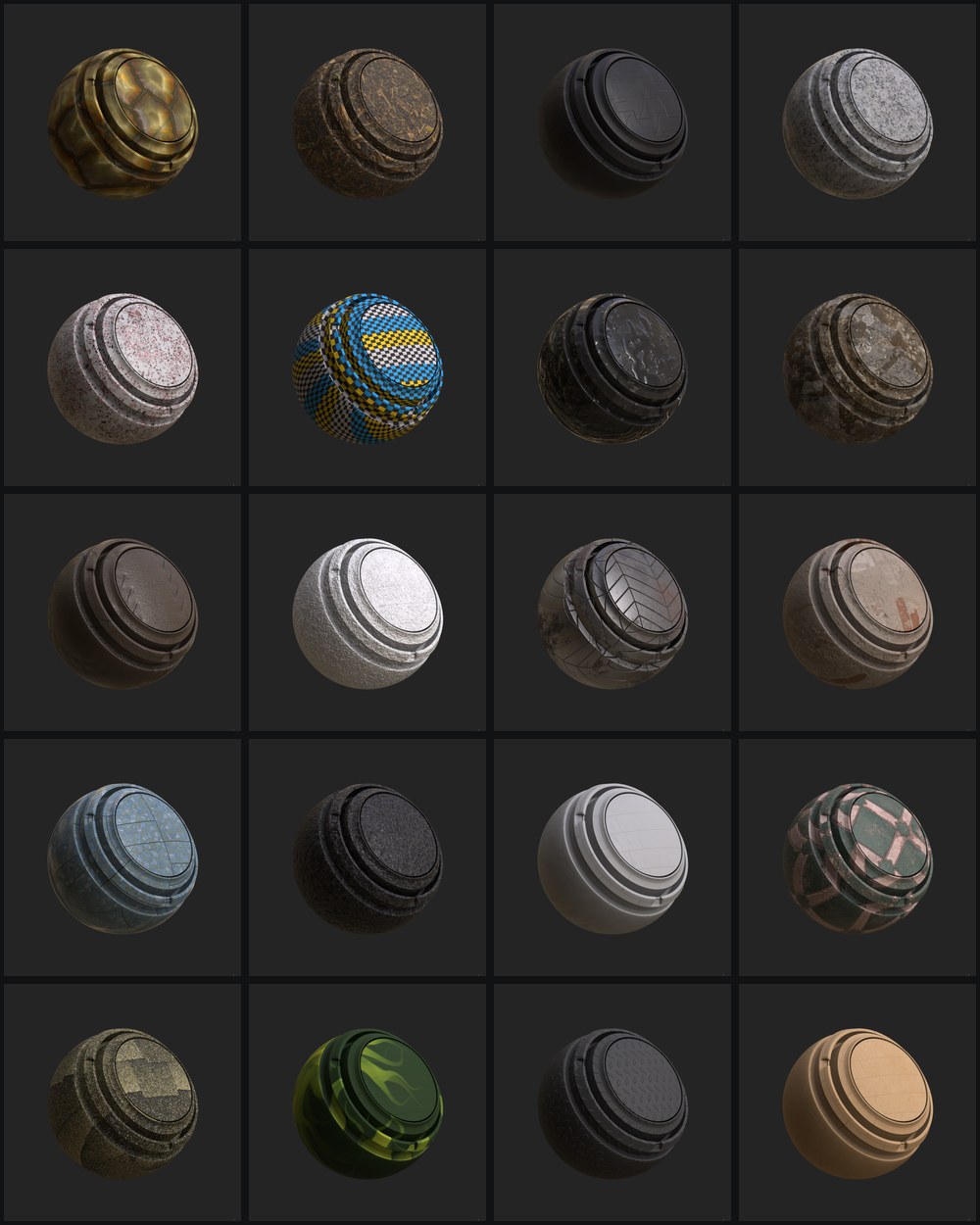
Give every material in your library a real preview, rendered on your own model, in your own lighting.
A material library is only browsable if you can see what each material looks like. Most packs ship a flat tile of the texture, or a product gallery whose images carry no names, leaving you to match a picture to a filename by eye.
This asks Painter itself. It applies each material to whatever you have loaded, waits for the viewport to settle, and saves the render named after the material, so the result is correct by construction and never needs mapping. It handles Painter smart materials and Substance materials, walks subfolders and mirrors them into the output, and skips anything already rendered so a long run can be stopped and resumed.
Because it captures your viewport as you set it up, the look is yours: your model, your environment, your camera. Build the shot once and a whole library renders in that style.
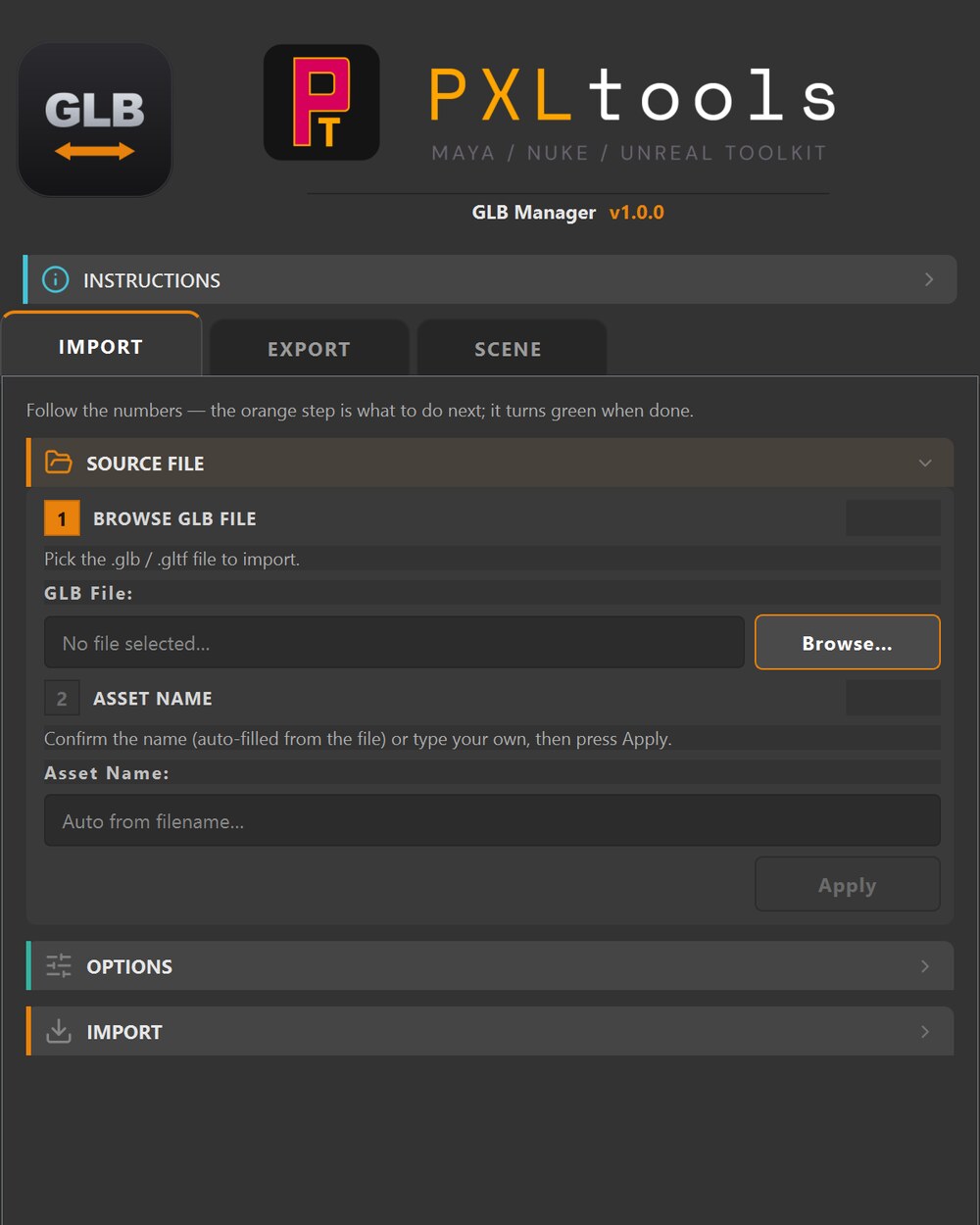
GLB import and export with the right twist. Textures extracted, PBR materials built, asset centred, all on one click.
Available for free on the store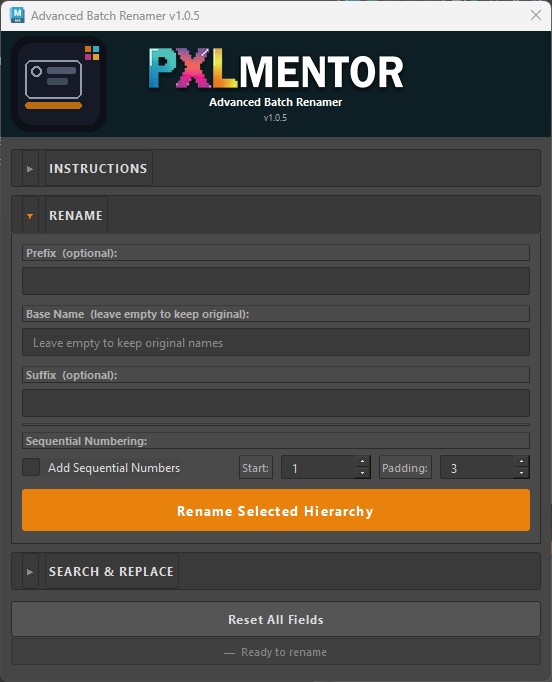
A complete, robust batch renamer. Simple where it should be simple, deep where production demands it.
Available for free on the store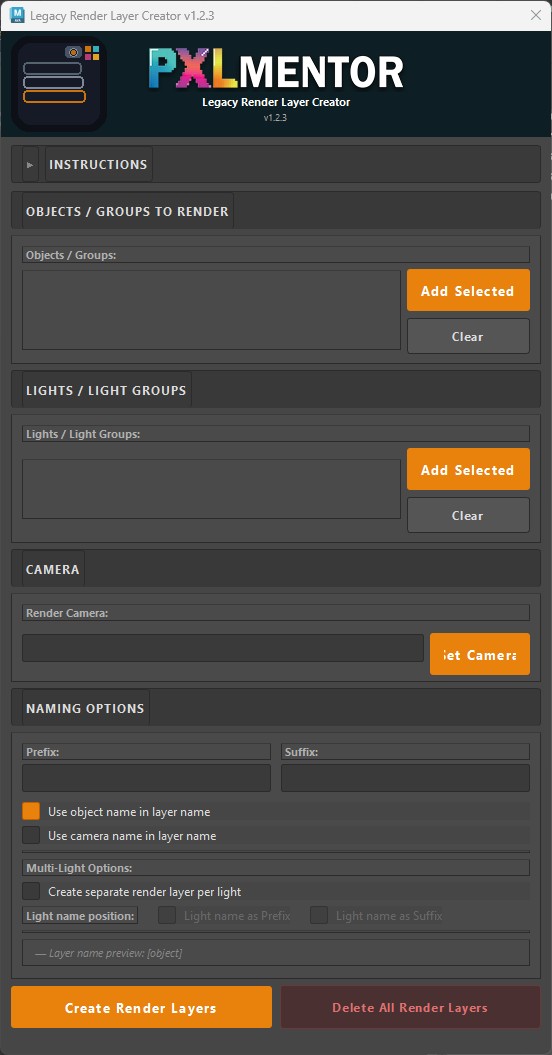
Generate dozens of render layers from selection, auto-named from your group and object hierarchy.
Available for free on the store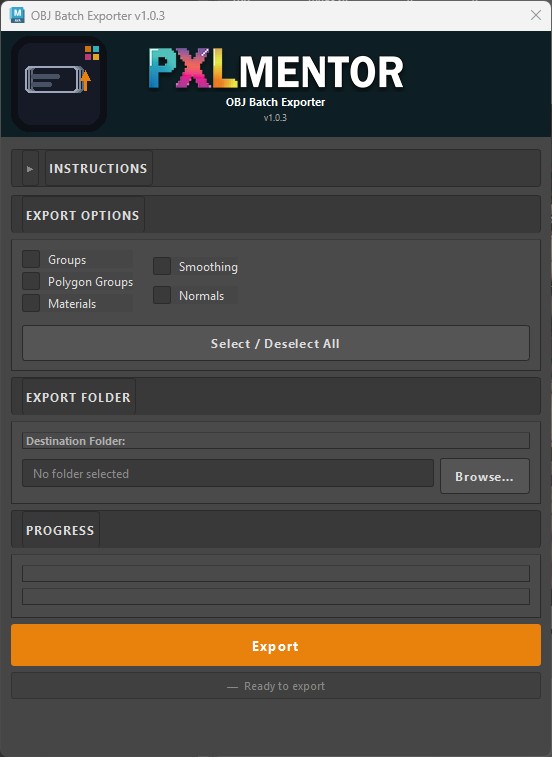
Bulk-export a master model split into hundreds of pieces, each as its own OBJ, in one click.
Available for free on the store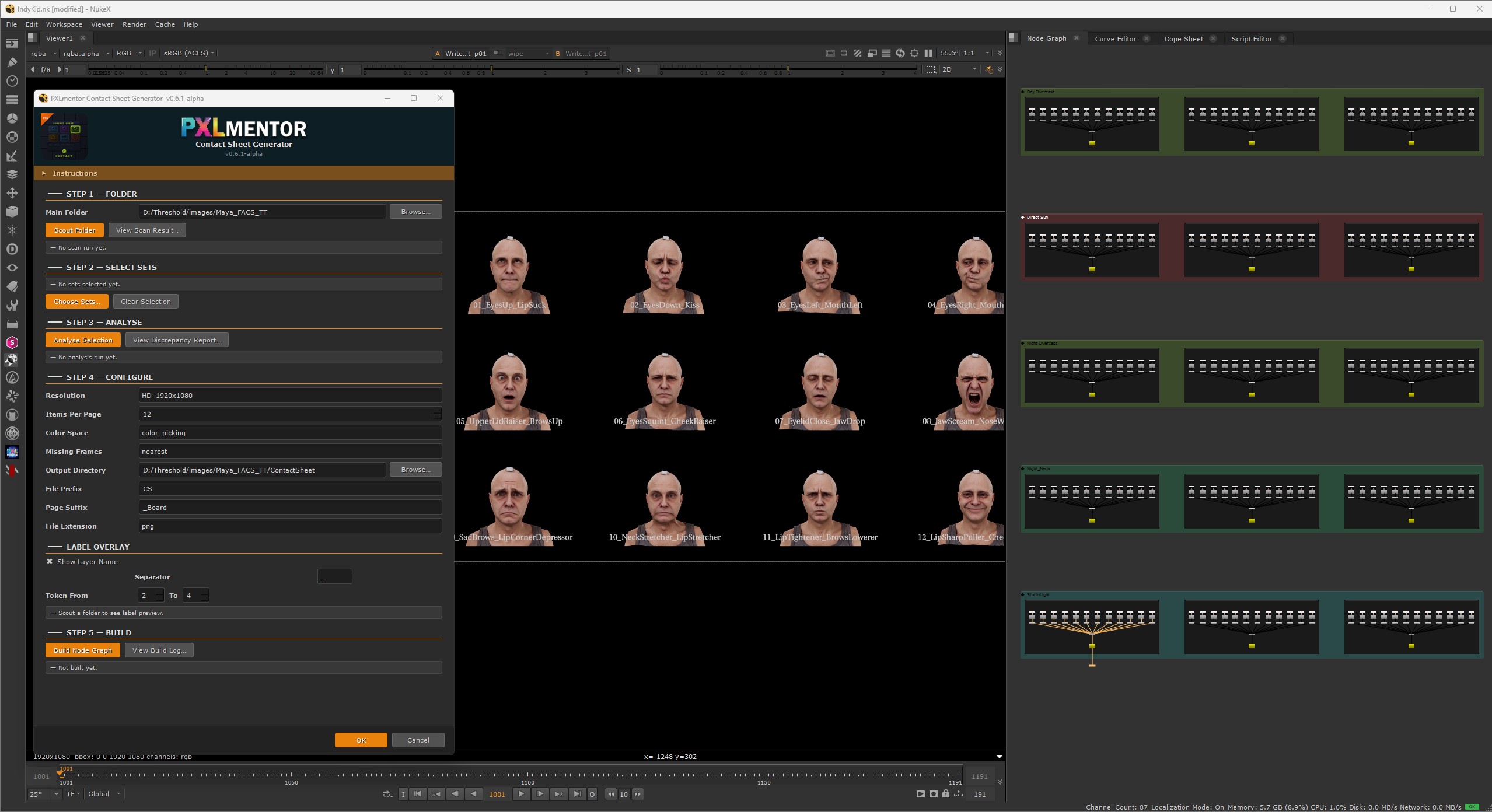
Pack dozens to hundreds of renders into a single compact contact sheet, organised by lighting, expression, or asset.
Available for free on the store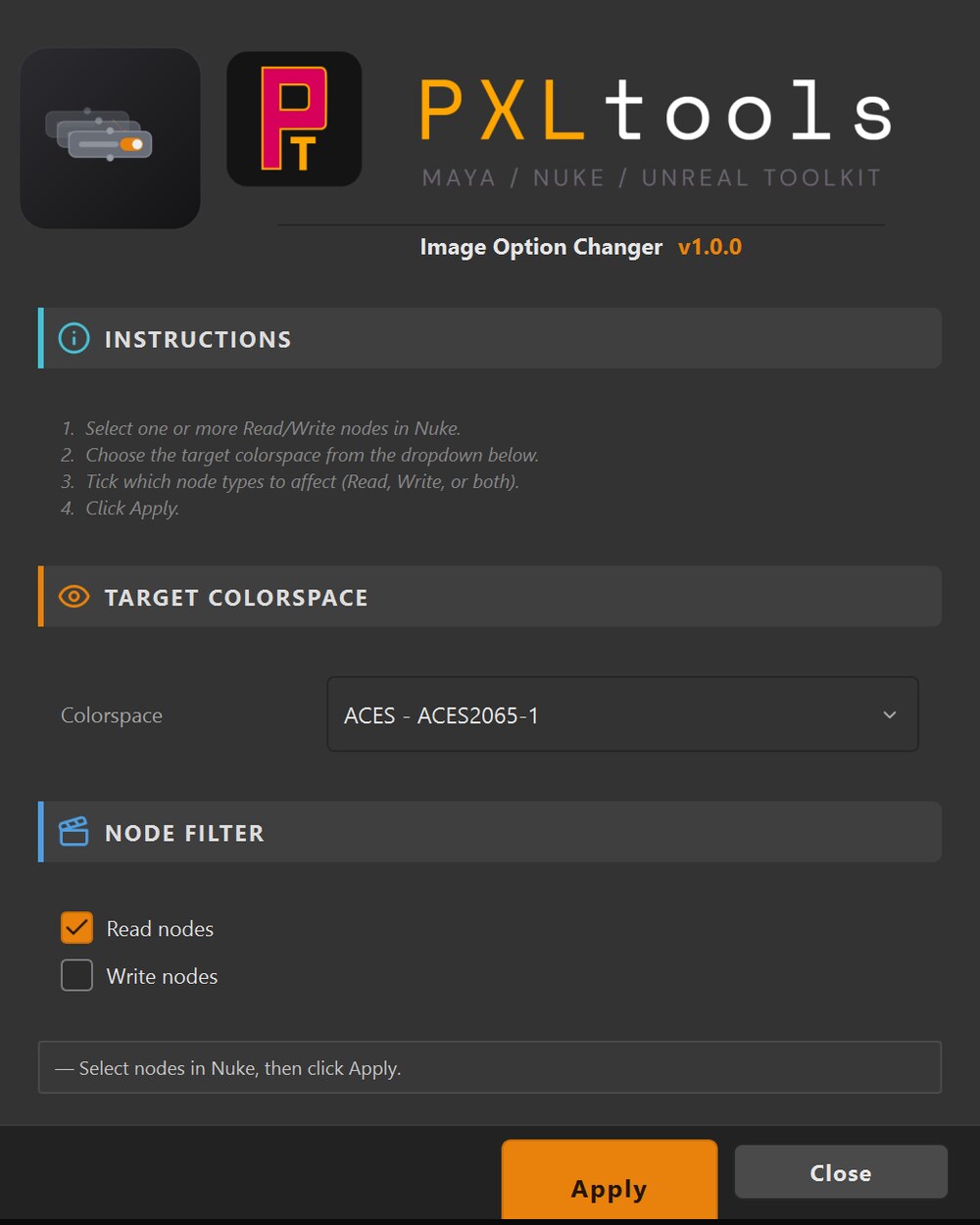
Batch-set the colour space on selected Read/Write nodes, pick the space, tick Read/Write, apply.
Available for free on the store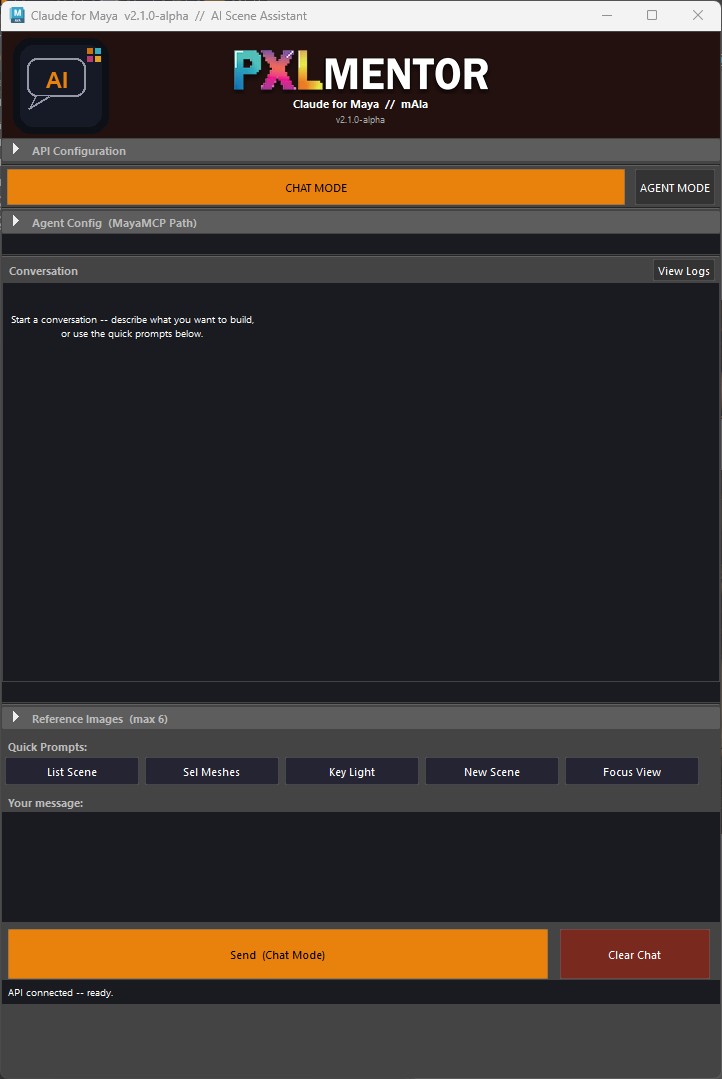
The first prototype of Claude integrated directly inside Maya. Drive repetitive tasks by prompt.
An early-stage AI agent integration that lives inside Maya. Ask it to do the boring repetitive thing, renaming, layouting, filing, simple cleanup, and it does it. Preliminary, but already productive on real shots.
The longer-term goal is a Maya-native co-pilot that understands the scene the way a TD does, not just a generic LLM with a viewport.
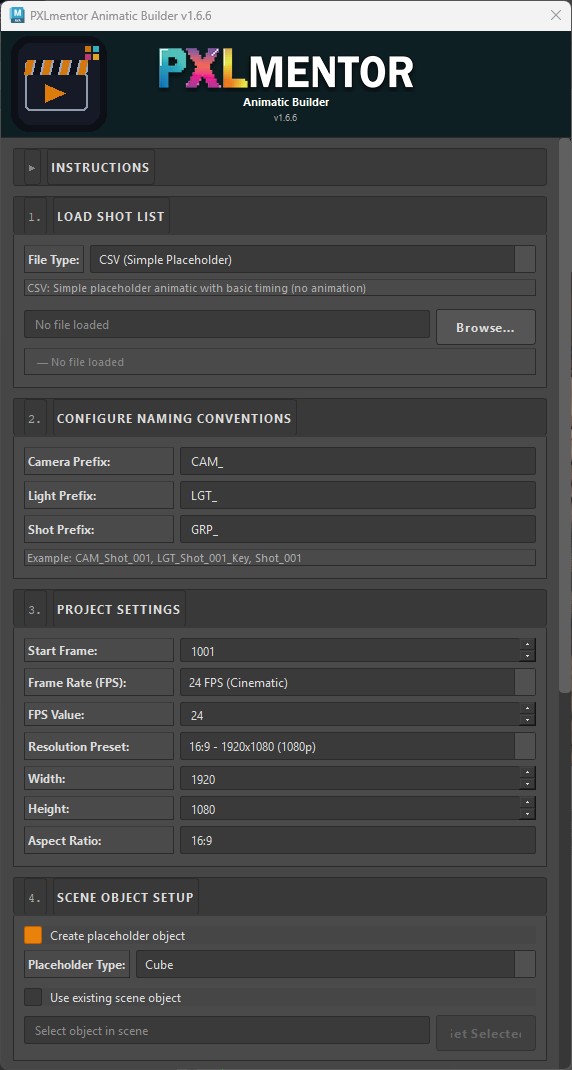
Turn a script into a Maya Sequencer build, sequences, shots, frame ranges, ready to previs.
Read guide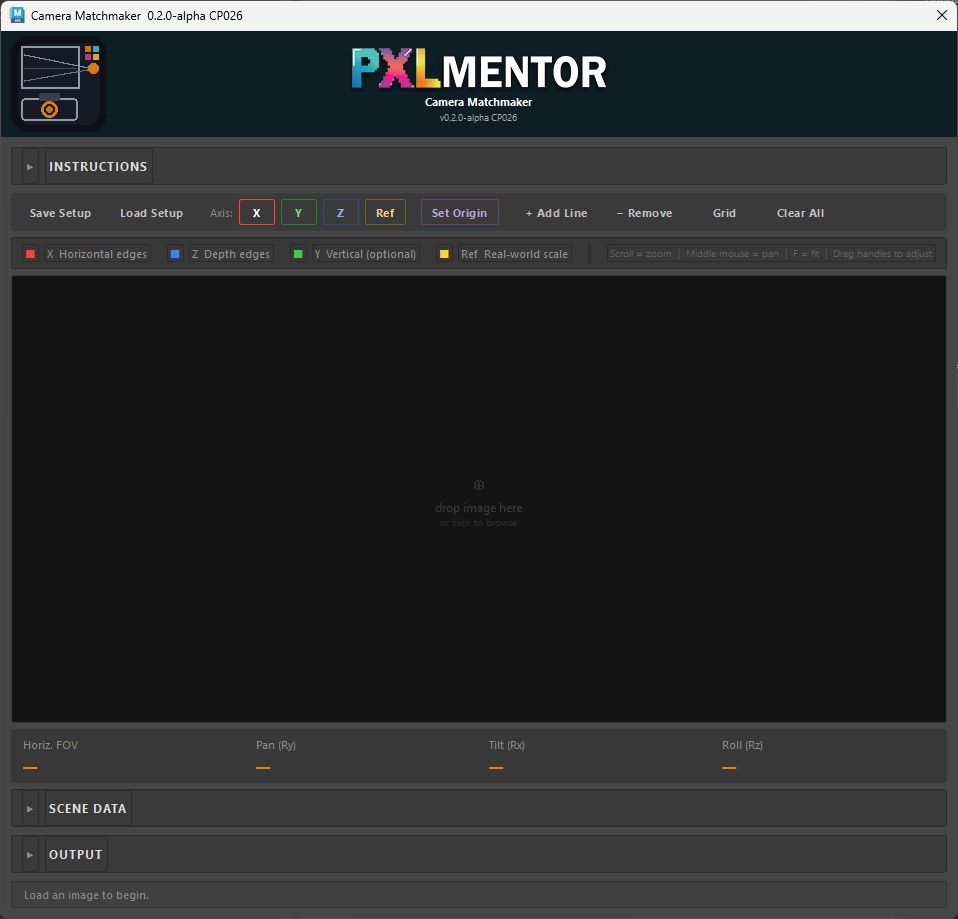
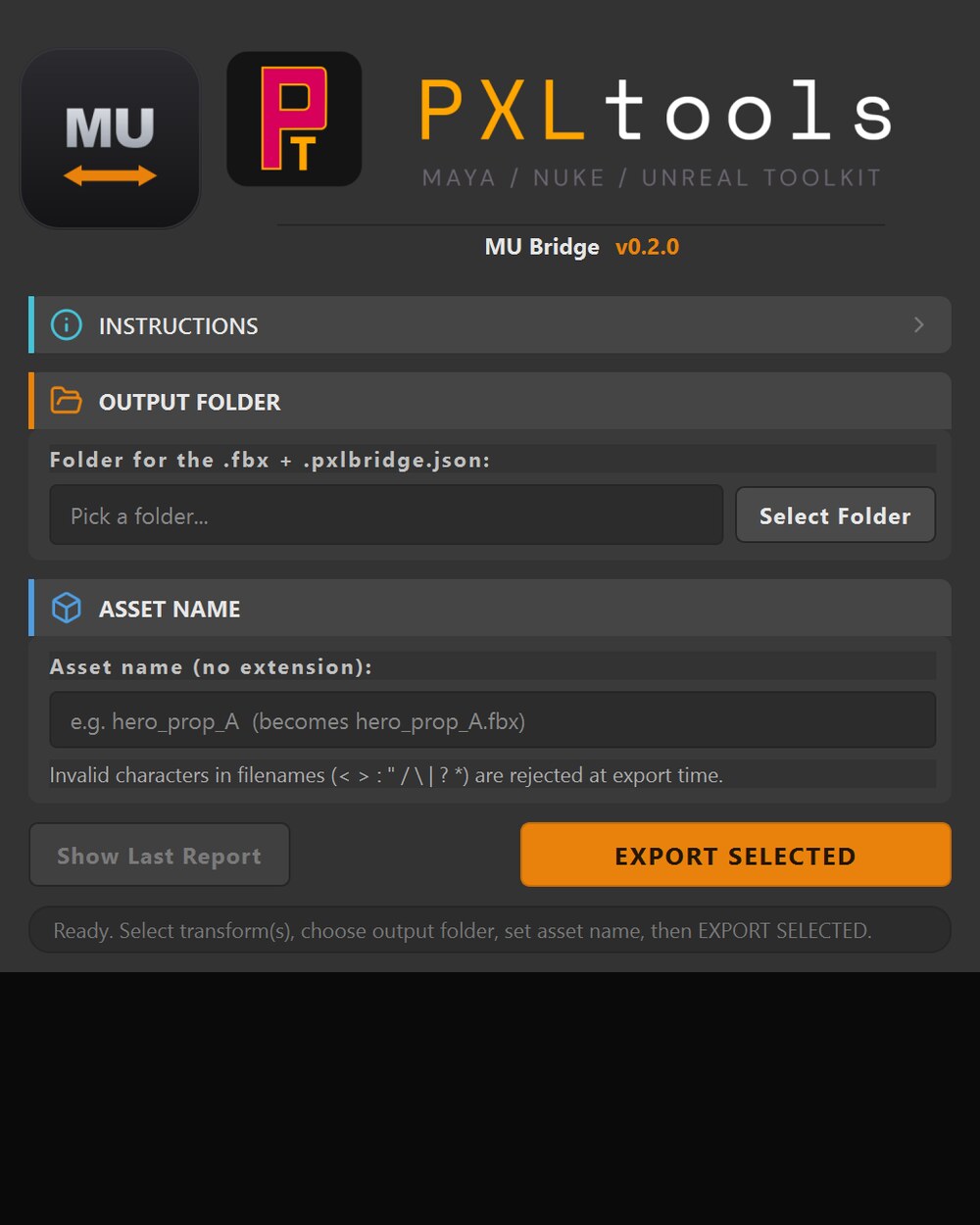
Maya to Unreal bridge, coming. It sends Maya transforms to Unreal as an FBX plus a .pxlbridge.json sidecar for the engine side.
Read guide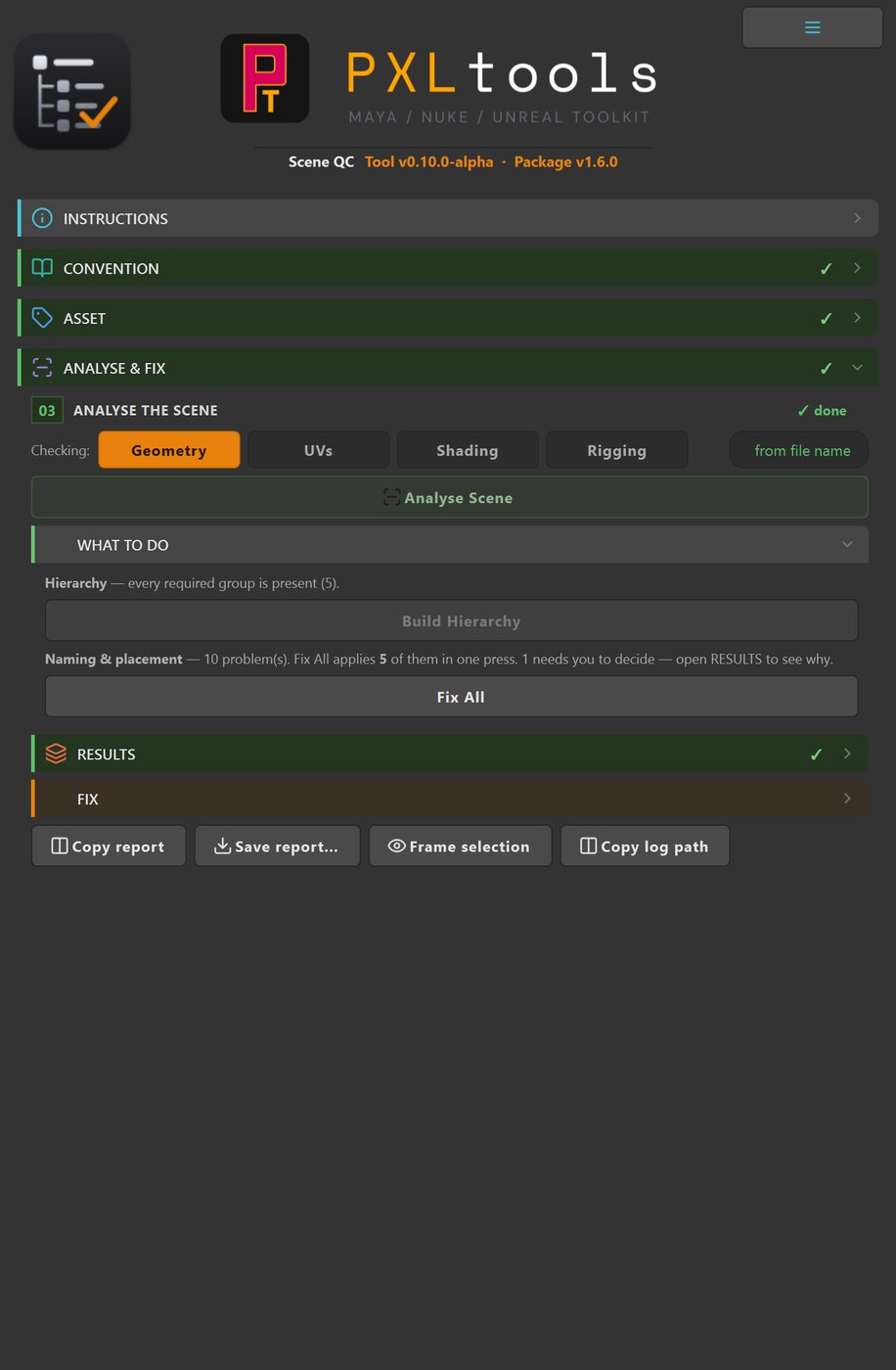
Scene QC for Maya. Check a scene against your own naming convention and hierarchy, then fix what it finds, behind a preview and one undo.
Read guide
Maya Bridge + Windows Sync. The Lightcraft Jetset round trip, which ships for other hosts but not Maya. An independent tool, not affiliated with Lightcraft.
Read guideThe connector at the heart of PXLsuite: every application connects through it.
Part of PXLsuite
PXLconnect links the applications to the online server and to PXLflow. It grows a plugin for each application over time, so a job can be published from any of them.
Next: ComfyUI workflows saved and versioned with the project.
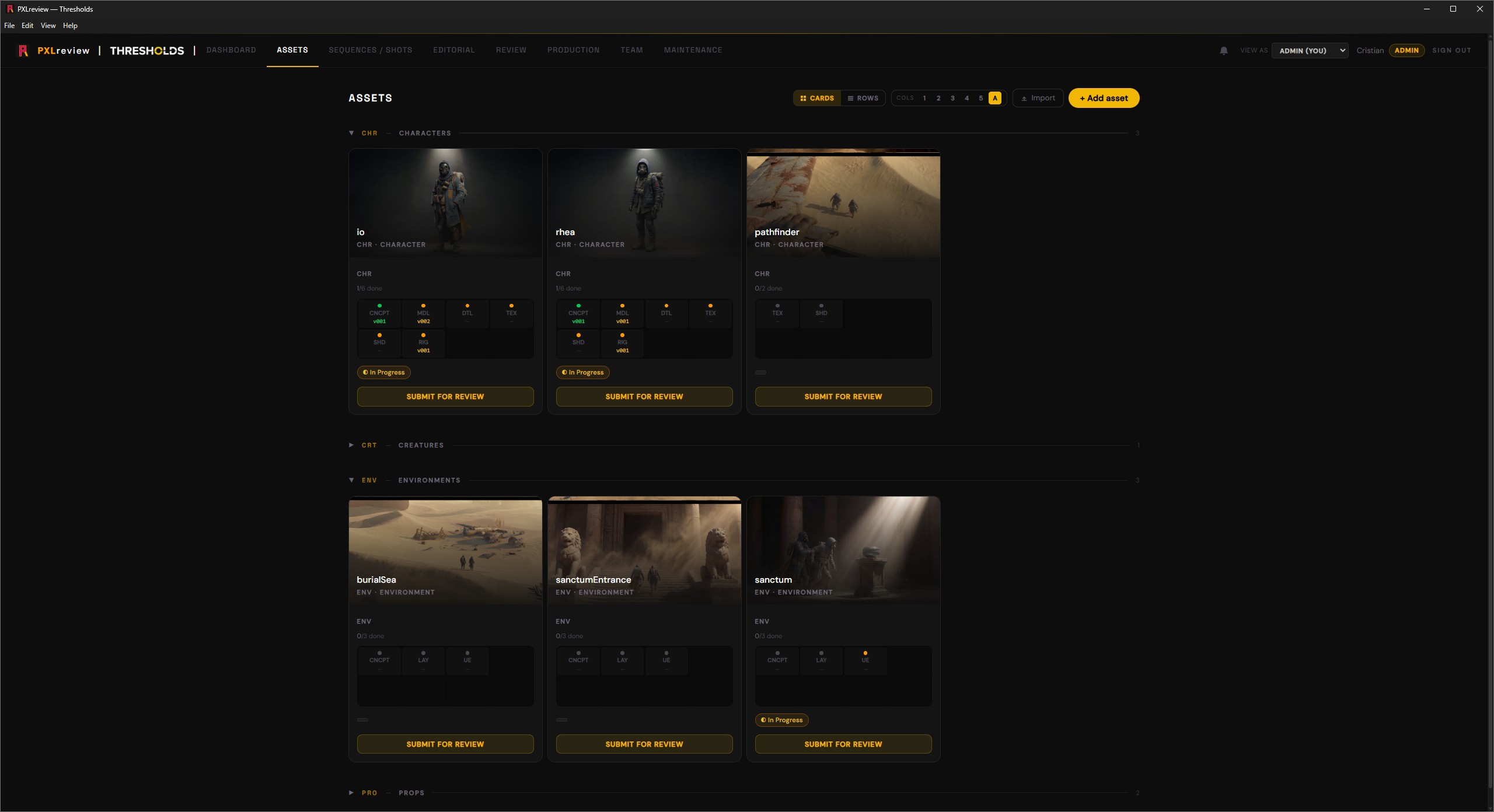
Play the version, draw on the frame, write the note back to the record.
Built in, not bolted on
PXLrv is a PXLsuite-branded build of OpenRV (Apache 2.0): full-quality playback, color management, frame-accurate scrubbing. It does the job studios pay a commercial RV review-player license for, with nothing to pay per seat.
Open any version from PXLflow and it loads in PXLrv, with the PXLflow notes panel living inside the player. Read the shot's notes, add new ones, and they write straight back to the same sheet. One backend, one data contract, no exporting and re-importing.