
PXLtools · Tool guide
PXLqc · Scene QC for Maya
Point it at a scene and it tells you, in plain sentences, every place that scene disagrees with your convention: names, hierarchy, placement, pivots, shading. Then it fixes them. One problem, one whole rule, or everything it can safely do, always behind a preview and always inside a single Maya undo. The convention is a portable JSON file, so a studio brings its own rather than adopting mine.
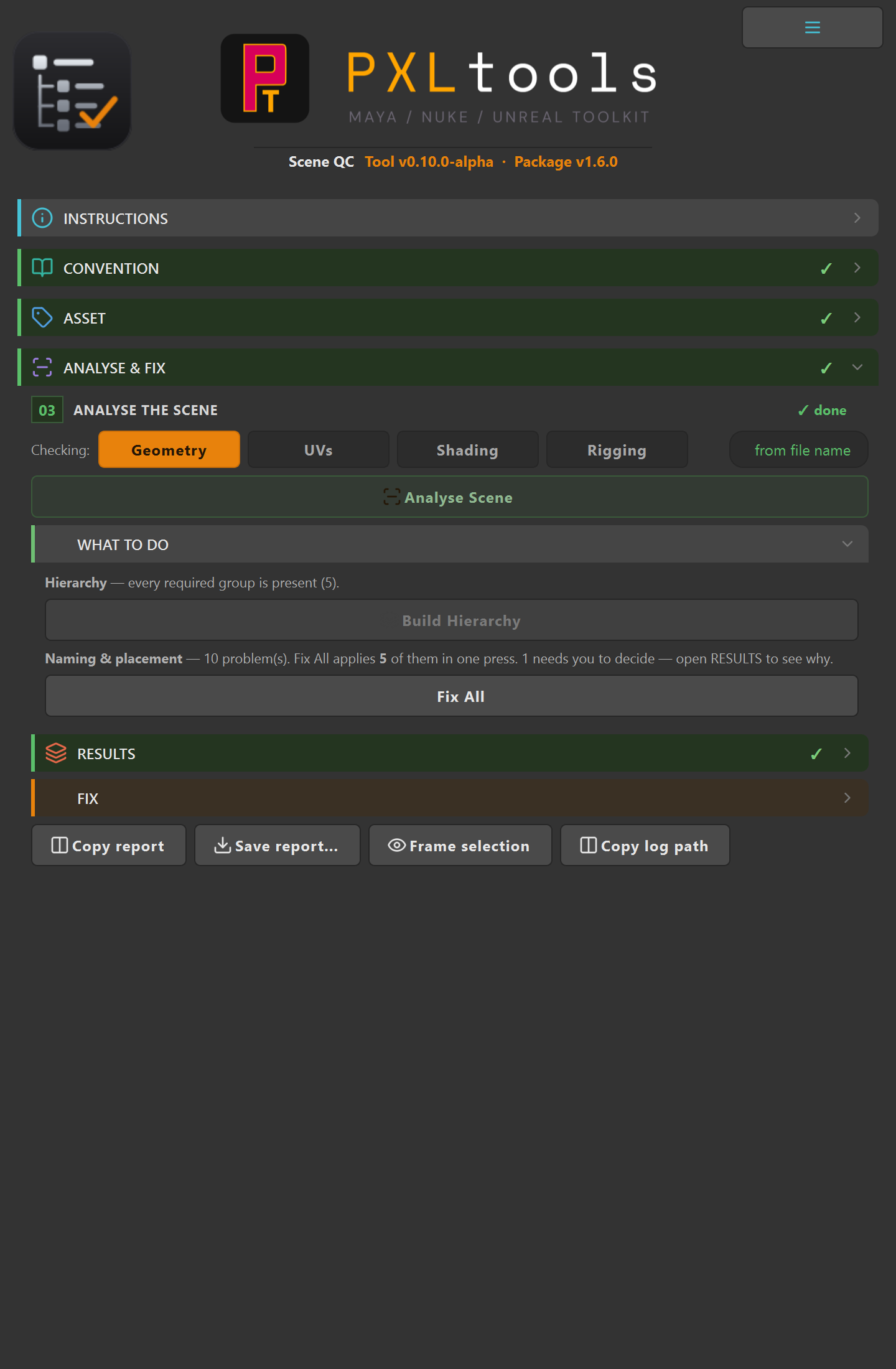
Scene QC in Maya
01
Overview
Every studio has a convention, and every studio spends time policing it by hand. A supervisor opens a scene, finds a mesh named wrong, a control parented into the wrong group, a pivot left at the origin, and sends it back. That round trip costs a day, and it happens again on the next asset.
PXLqc does that pass in a few seconds, and then does the boring half of the fixing for you. It runs in three phases: analyse the scene against a convention, show you a template of what the structure should look like, and fix what can be fixed safely.
It cannot modify your scene while it is checking it, and that is a property of how it is built rather than a promise. Reading and writing live behind two separate interfaces, and the analysis half is never handed the one that can write. So "QC will not touch my scene" is enforced by the code's shape, not by me remembering to be careful.
02
Your convention, not mine
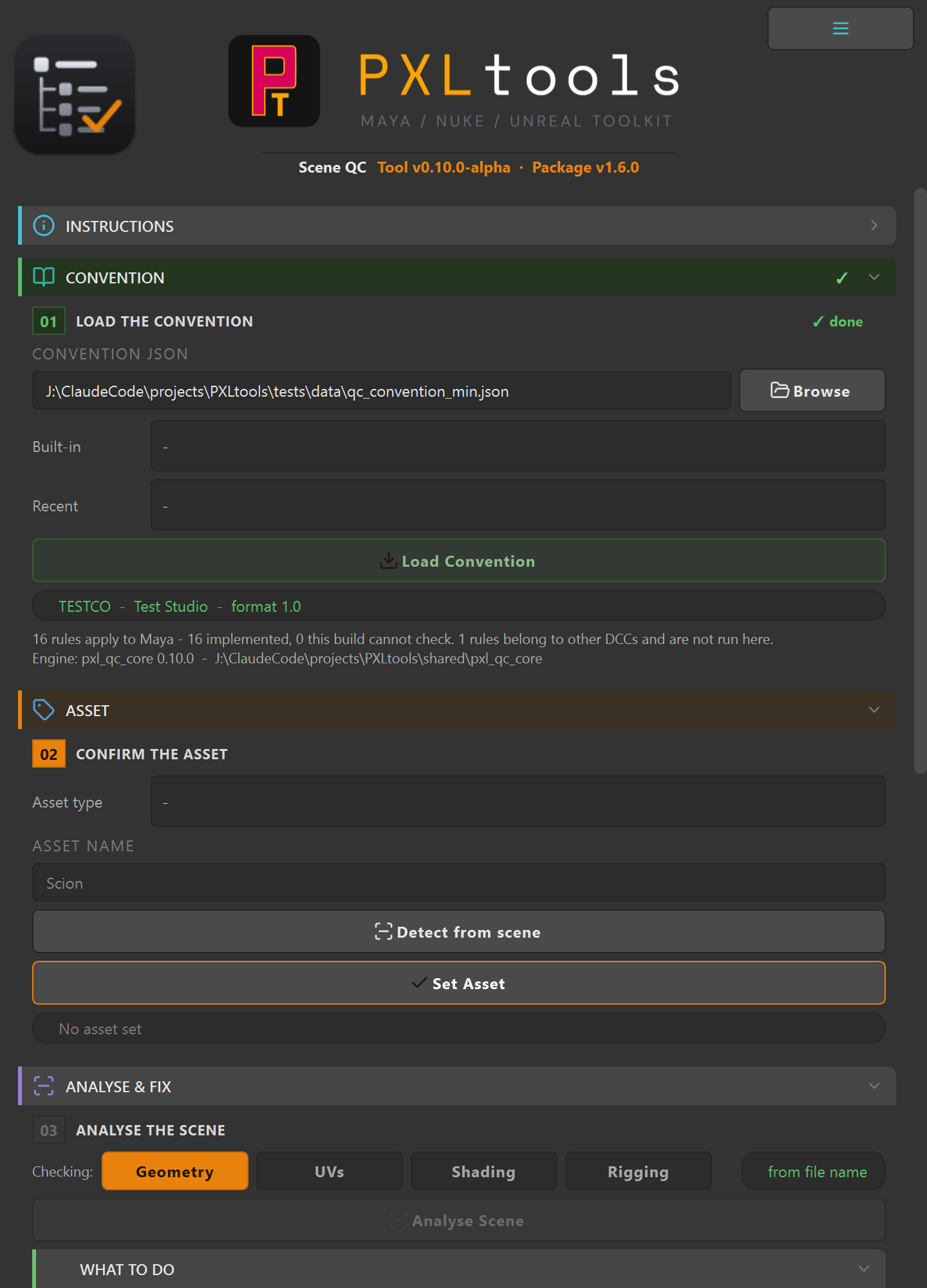
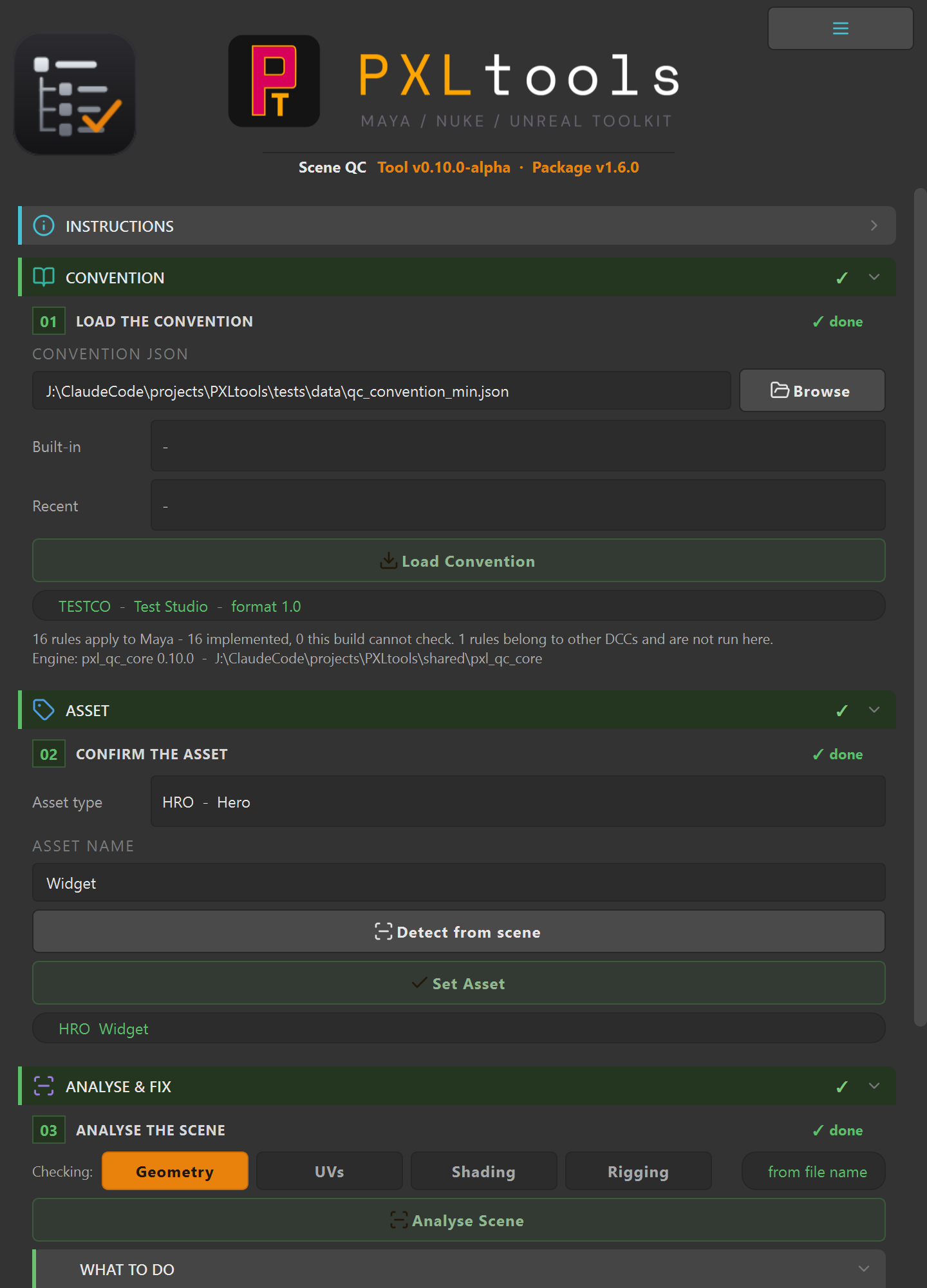
This is the part that decides whether the tool is useful to anyone but its author. The rules are not hard-coded. A convention is a portable JSON file describing what your names, suffixes, hierarchy and roles should be, and the tool validates against whatever you load.
A convention describes four things:
- Naming and suffixes, which suffix belongs to which kind of node, matched through a type lineage so an abstract "light" matches whatever Maya actually created.
- The hierarchy, declared as a generative tree, so the same description both validates a scene and builds the missing groups.
- Classification, which names or types mean which role, matched on token boundaries so
ctrlin the middle of a word does not accidentally make something a control. - Which rules can auto-fix, per rule, so anything you consider risky stays a manual decision.
A bundled default loads on first launch, so the tool opens ready to use rather than demanding a JSON file before it will do anything. Point it at your own when you have one.
03
Requirements
- Autodesk Maya 2025 (PySide6, already bundled, nothing to install)
- A convention JSON, or the bundled default to start from
The rule engine itself imports no DCC at all, which is asserted by a test rather than assumed. That is deliberate: the Unreal half will share the same engine, and the fastest way to make that impossible is to let Maya leak into it.
04
Availability
PXLqc is an internal alpha. It is not on the store, there is no download on this page, and it is not in the public PXLtools package. It is documented here because it is close to ready and being proven on a real production.
The Maya half analyses and fixes today. What is still moving is the part that matters most for anyone else: making it comfortable to describe your own naming convention without hand-writing JSON. That work is next, and it is the gate on a wider release.
If you run a convention you would want this to enforce, that is exactly the input worth having. Write to info@blackmamba3d.com.
Who made this, and who owns it
PXLqc was created and is released by Cristian Spagnuolo, and is his property, published under PXLmentor as part of PXLtools. Copyright © 2026 Cristian Spagnuolo. All rights reserved.
05
Using Scene QC
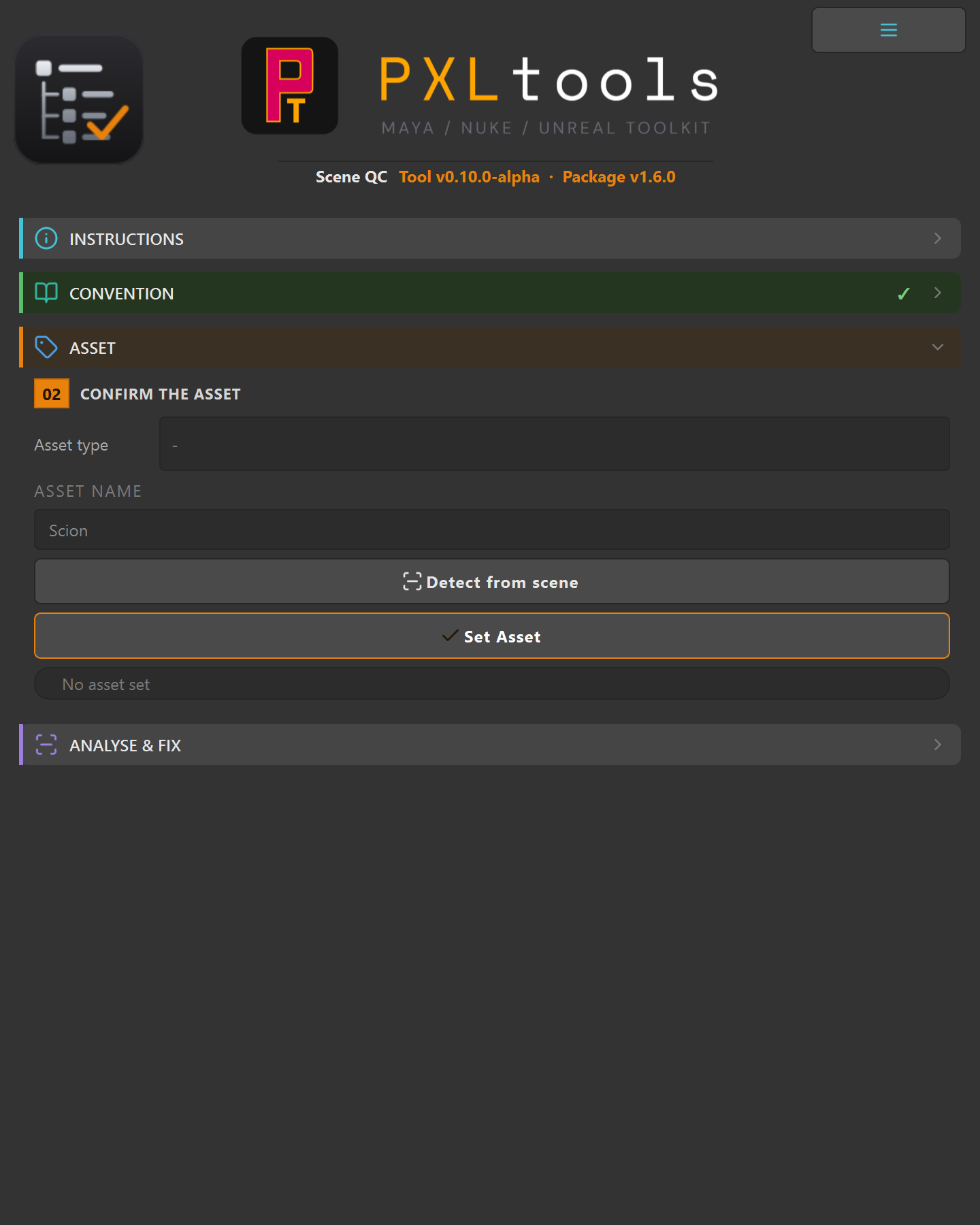
Four gated sections, top to bottom. Work the orange one and the next opens.
Analyse the scene
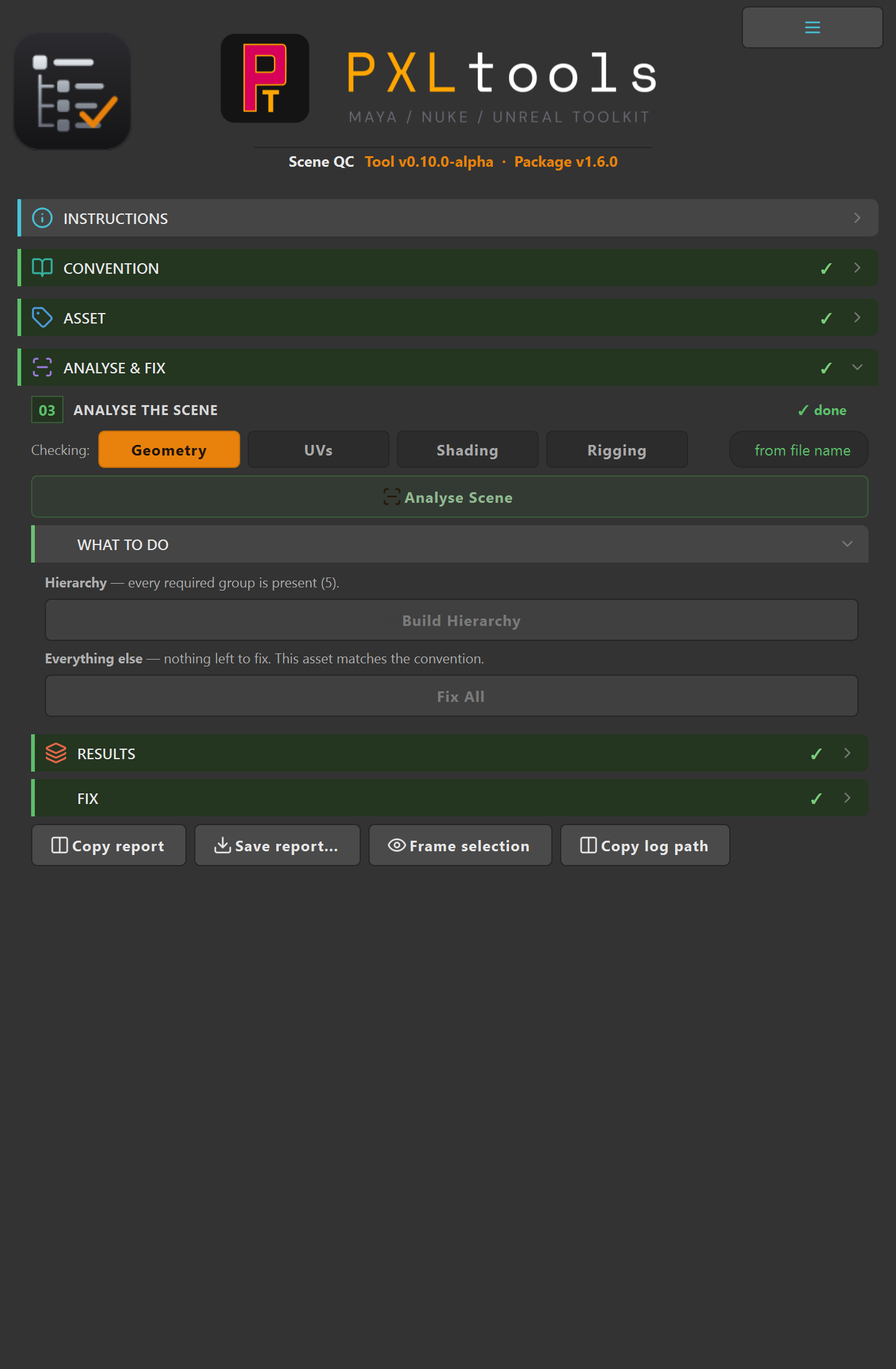
Choose what to check with the category toggles, Geometry, UVs, Shading, Rigging, then press Analyse Scene. Results are clickable: select a finding and it selects the offending node in Maya, so you are never hunting for what it means.
A rule with no safe fix says so, and why. It renders as MANUAL with its reason instead of a dead button, and a rule that is not implemented yet reports NOT IMPLEMENTED rather than quietly passing. A QC tool that silently passes what it cannot check is worse than no QC tool, because you trust the green.
06
Fixing what it finds
Three granularities, because "fix everything" is not always what you want:
- Fix one. A single finding.
- Fix all in a rule. Every instance of one problem.
- Fix All. Everything the convention marks safe to apply automatically.
There is also Build Hierarchy, which creates the groups a part-built asset is missing, from the same tree the convention uses to validate.
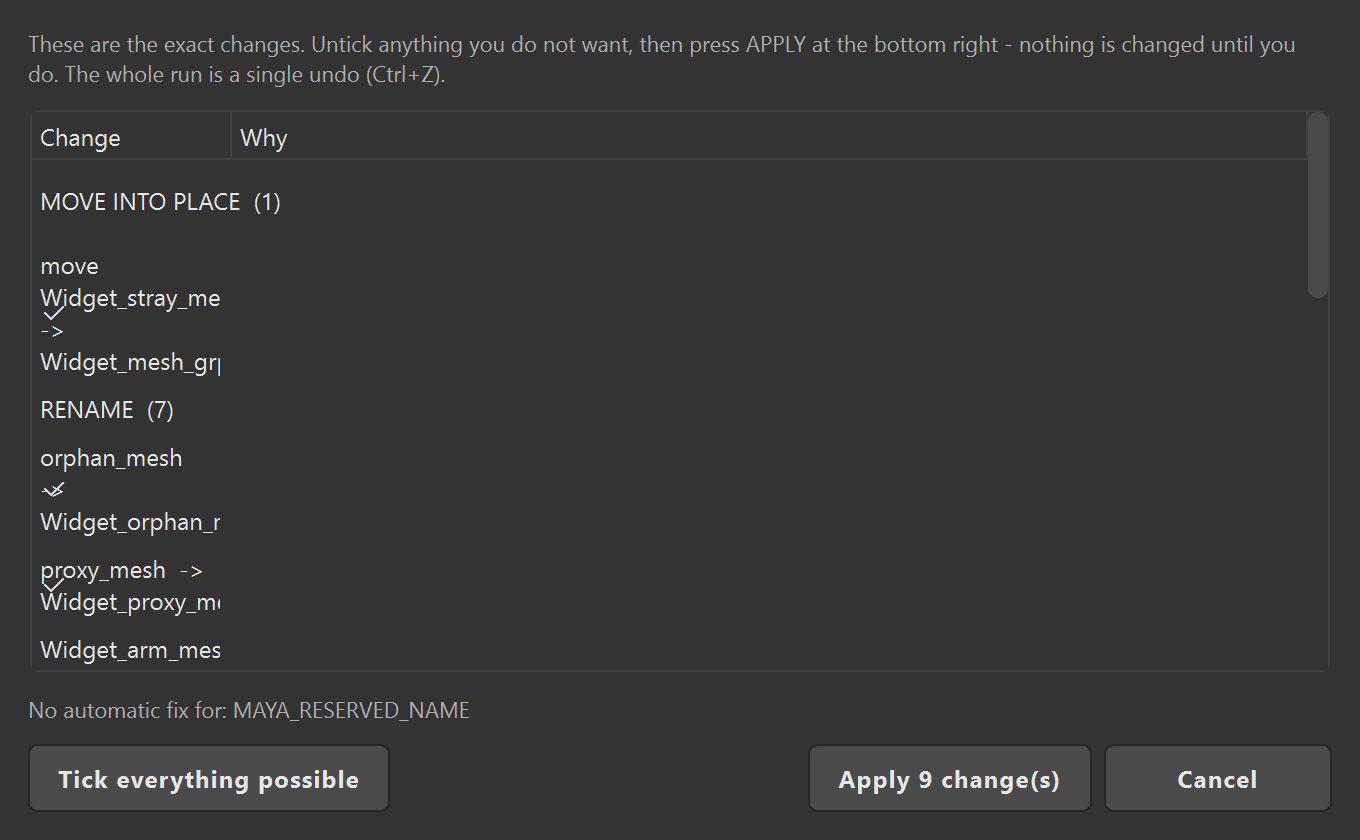
Between them, fixing can create the declared hierarchy, rename meshes and groups to the convention, and reparent geometry and controls into the group their role belongs to.
Everything goes through one preview, and one undo. No path skips the preview, and the whole application is a single Maya undo chunk, so one Ctrl+Z puts the scene back. Fixes the tool derived rather than read directly, and anything your convention marks as not auto-applicable, are deliberately excluded from Fix All and left for you.
07
Project QC for Unreal
PXLqc is designed as the same two-DCC shape as TurnTable: Scene QC inside Maya and Project QC inside Unreal, sharing one rule engine and one convention file, so a project is checked the same way on both sides of the pipeline.
The Unreal half is not built yet. The engine it will use is, and is deliberately DCC-free so that it can be. This section is here so the intent is on the record, not to suggest you can run it today.
08
Troubleshooting
A rule says NOT IMPLEMENTED.
It means exactly that, and it is deliberate. The rule exists in the convention but the check behind it is not finished, so the tool refuses to report a pass it has not earned. Treat it as unchecked, not as clean.
A finding says MANUAL and there is no fix button.
There is no safe automatic fix for that rule, and the reason is printed next to it. Some are genuinely a judgement call, and a tool that guesses on your behalf is how a QC pass quietly breaks an asset.
Fix All did not fix everything.
By design. Anything the tool derived rather than read directly, and anything your convention marks as not auto-applicable, is excluded and left for you to apply one at a time. The summary line tells you how many that is before you press it.
The left and right rules flag things that look correct.
Left and right are measured from the bounding box, not from the pivot, because freezing transforms puts every pivot at the origin and would make the check meaningless. If an asset is modelled off-centre the measurement can disagree with your intent, which is why these are excluded from Fix All.
I want it to enforce my studio's convention.
That is the intended use. The convention is a portable JSON file rather than anything baked into the tool. Making that comfortable to author without hand-editing JSON is the work currently in progress, and it is the gate on a wider release.