 PXLnexus
Writer
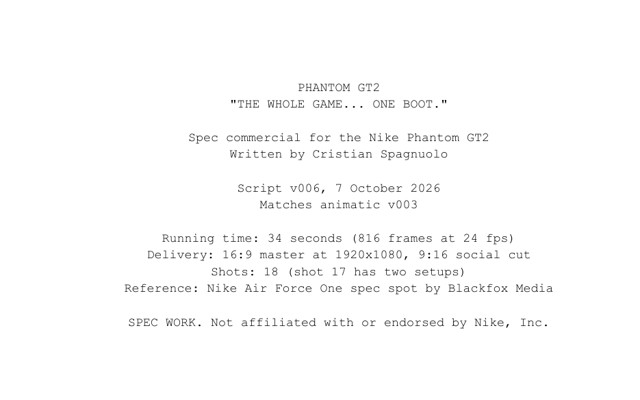
Script and shot list from the brief. The first pass on paper, scene by scene, shot by shot.
Department: Script.

AI production orchestrator, powered by 
The AI production orchestrator, from script to delivery, on your own servers.
Every role reads the same show brain, and each is a Claude Code agent with its own skills. Select a role to see what it does; select the centre to see the brain.
Where the days go
Most conversations about AI start and end with the picture. For a studio, the images are becoming the cheap part.
The days go into the work around them: the bid, the setup, the handoffs, the notes, the tracker. This is how most shows still run.
Even a studio with a pipeline runs a generic one, the same standard for every show. But every project has its own needs, and they can be read at the start, before the first day is lost. That is where PXLnexus begins.
The orchestrator
PXLnexus runs on Claude Code, and it works like a small team of specialist roles.
They all read from one show brain: the bible, the script and the shot list, the decisions, the time spent. So the shot list, the animatic, the bid and the tracker stay in step instead of drifting apart.
Linked live
A person makes the call.
PXLnexus works inside the applications through MCP bridges: Maya, with mAIa doing the routine scene work, Unreal, ComfyUI, Premiere, DaVinci Resolve and ElevenLabs. It speeds up the regular process, not only the pictures.
powered by Underneath
PXLnexus drives PXLsuite, the pipeline underneath. Every tool follows one production standard.

 Script to breakdown, bid and schedule.
 The assets the bid calls for, waiting before anyone starts modelling.
 The tracker, laid out from the bid.
 Every version reviewed; the note goes straight back to the tracker.
 Every application connects through it, on one standard.
 The tools inside every application.
PXLnexus orchestrates PXLsuite, the ComfyUI workflows for image, video and 3D running on our own machines, and the partner tools from Reallusion, Faceform, 3D.sk, XGRIDS, Volinga, Dash and Lightcraft, each one removing a whole step. Tested on a full CG series and a Nike spec spot.
Set up at your studio
I come in as a consultant and build the setup at your studio: your conventions, rates, departments and people fed in before the first show runs.
The setup is organised in three layers so the same method runs on your terms without touching what already works.
Your files and the brain stay on your servers. For NDA work the model runs on your studio’s own cloud account, so nothing ends up in a public tool. If you already have a tracker, it stays the system of record.
Results
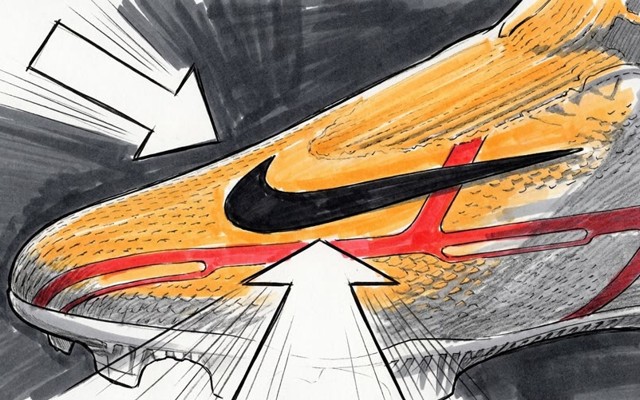
Tested end to end on a 34 second Nike spec spot*. PXLbid broke the script into shots and assets, ComfyUI made the storyboard and the look frames, and Animatic Builder laid the cut out in Maya.
so far, against 20 to 29 for a small conventional crew.
for the whole spot, projected, solo, against 83 to 122 for a crew.
 Script
 Storyboard
 Look frames
 Characters
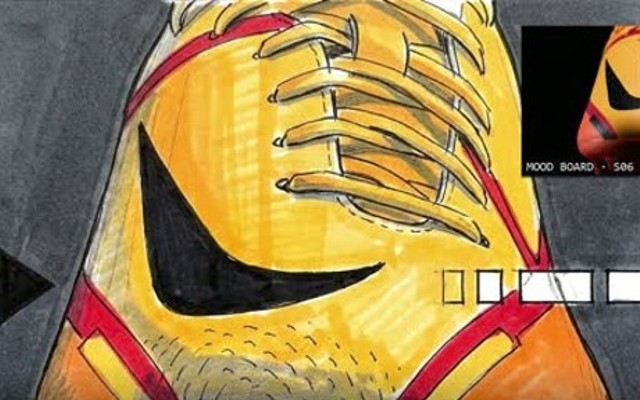 Animatic
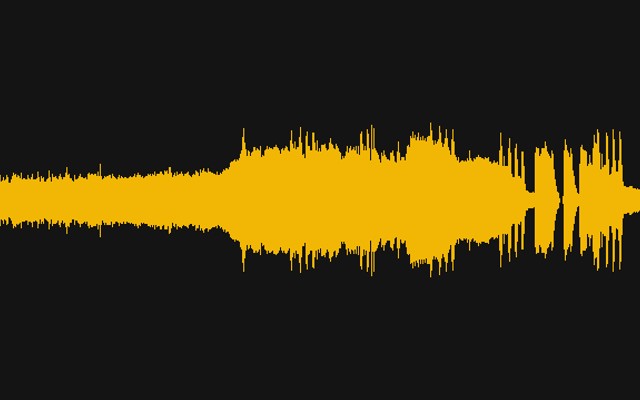 Sound
Sound End card
VFX & CG Supervisor
Over twenty years in VFX and CG, with DNEG, MPC, Mill Film, Framestore and Pixomondo, among others. Former 3D Generalist, now also a pipeline consultant. I co-created Thresholds and am currently supervising it; PXLsuite is the pipeline I built to run it, and every tool is hardened on that show before it reaches anyone else.









 ...among others.



 Partners of Thresholds, the CG series I co-created and am currently supervising.
How we start
Everything I build starts from something I watched go wrong on a real show, and that’s how I’d start with a studio. I come in as a VFX & CG Supervisor, not only as the person with the tools. I read the show before I touch it, and I’m on it while it runs.
A conversation first. If it fits, a pilot on one of your shows.
Book a callThe show brainBible, script, shot list, decisions, time. One per show.
The orchestrator
PXLnexus runs on Claude Code, and it works like a small team of specialist roles. They all read from one show brain, so the shot list, the animatic, the bid and the tracker stay in step instead of drifting apart.
One per show. Created fresh for every production, never shared between them.
About a hundred of them, each written once as a skill, so it runs the same way every time, whoever is on the job.
We feed it the script and the briefs. Out comes a first version of everything else: the naming conventions for the show, the key decisions, the show bible, the presentations, the onboarding pages. We review and correct; we don't start from a blank page.
It also builds the tools. PXLsuite was written this way: I decide what each tool must do and I test it; Claude Code writes the code.
The crewFourteen roles, each a Claude Code agent with its own skills. A person approves every pass.
The crew
PXLnexus works like a crew of fourteen specialist agents, all reading from the same show brain. Each one proposes; a person approves every pass.
Script and shot list from the brief. The first pass on paper, scene by scene, shot by shot.
Department: Script.
Titles, hooks and copy. Everything that goes on screen as text.
Department: Copy.
Look direction and concept. Sets the visual register for the show before the first image is made.
Department: Look and concept.
Boards and look frames in ComfyUI. The visual plan, shot by shot.
Department: Boards and look frames.
Breakdown, bid and schedule on your own rates. A first pass priced and laid out; a person confirms every number.
Department: Bid and schedule.
The tracker in step with the work. Re-grades complexity as the show runs, flags missing data, keeps the record.
Department: Tracker.
The animatic laid out in Maya. Cuts the first version of the film from the storyboard.
Department: Animatic.
The cut in Premiere. The picture edit, from the animatic through to the locked cut.
Department: Cut.
The grade and the master in DaVinci Resolve.
Department: Grade.
Music, effects and the mix. ElevenLabs for voice and sound.
Department: Sound.
Voiceover direction. Casts and directs the AI voice; delivers the approved take.
Department: Voiceover.
Titles and motion graphics. The end card, the lower thirds, the branded moments.
Department: Titles and graphics.
Reviews the work before delivery. Reads the show bible and checks every shot against it.
Department: VFX review.
Canon and continuity against the show bible. Flags every drift from the rules of the world.
Department: Canon and continuity.
A person makes the call. The crew proposes, checks and keeps the record; nothing moves on without a person's approval.
At your studioCore, Studio pack and Show brain: the same method, on your terms.
Set up at your studio
I come in as a consultant and build the setup at your studio: your naming conventions, your rates, your departments and your people fed in before the first show. PXLnexus is organised in three layers so the same method runs on your terms without touching what already works.
The method: roles, rules, skills, agents and apps. The same at every studio. It never hard-codes a studio fact; it reads them from your pack.
Your naming conventions, rates and effort numbers, departments, people, and the AI models you allow. Swapped in.
One per production: the bible, the script, the shot list, the decisions. Created fresh, never shared.
Your files and the brain stay on your servers. For NDA work the model runs on your studio's own cloud account, so nothing ends up in a public tool. If you already have a tracker, it stays the system of record.
ResultsDays per department on a 34 second spec spot, against a small conventional crew.
Results
Tested end to end on a 34 second Nike spec spot*. PXLbid broke the script into shots and assets, ComfyUI made the storyboard and the look frames, and Animatic Builder laid the cut out in Maya. The plan landed in PXLflow with every shot's storyboard panel as its thumbnail, so the tracker looked like the film from the first day.
| Department | Conventional crew | This pipeline |
|---|---|---|
| Script + shot listcopywriter, director | 2 to 3 days | 0.2 days |
| Storyboard, 18 panelsstoryboard artist | 3 to 4 days | 0.2 days |
| Look frames, environmentsconcept artist | 6 to 8 days | 0.5 days |
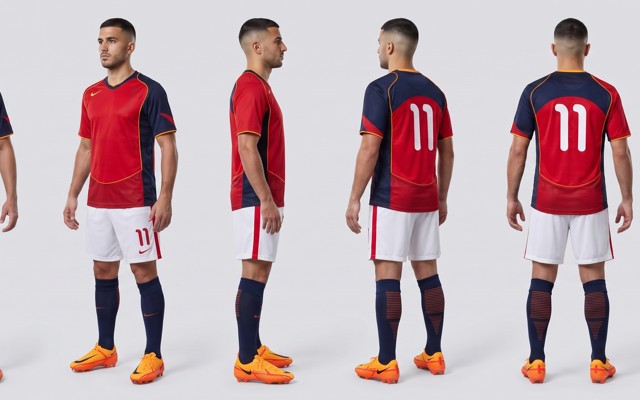
| Characters + kitscharacter designer | 4 to 5 days | 0.2 days |
| Animaticeditor | 1 to 2 days | 0.2 days |
| Sound: music, FX, voice, mixcomposer, sound designer, voice | 3 to 5 days | 0.4 days |
| End card animationmotion designer | 1 to 2 days | 0.2 days |
1.9 days so far, against 20 to 29 for a small conventional crew. About 15 to 20 days for the whole spot, projected, solo, against 83 to 122 for a crew.
Maya, Nuke, Unreal and Premiere are on both sides of the comparison. The gain is the pipeline.
| The pain | Today | With PXLnexus |
|---|---|---|
| The bid | Broken down by hand. | First pass and pricing on your own rates; a person confirms. |
| Show setup | Folders and naming set up by hand on every show. | Built from your standard file. |
| Handoffs | Errors found by the next department. | Caught before delivery. |
| Pre-production | Four to six weeks to a locked animatic. | About 2 days. |
| A missing tool | You wait, or work around it. | Built on the show, in days, to your conventions. |
Pre-production in days, not weeks. Senior time goes into the shots, not the setup.
* Speculative test project
 PXLbid
 PXLflow